4.2
No power to the console
Symptom: Console does not light up.
Reason:
1. Adaptor incorrect or defective.
2. Console cable defective.
3. Console defective.
Solution:
1. The adaptor for this model is 12V -1A. Make sure to use an adapter with the correct
specification, and replace the adaptor if it is defective.
2. A) First, try to reconnect the wires.
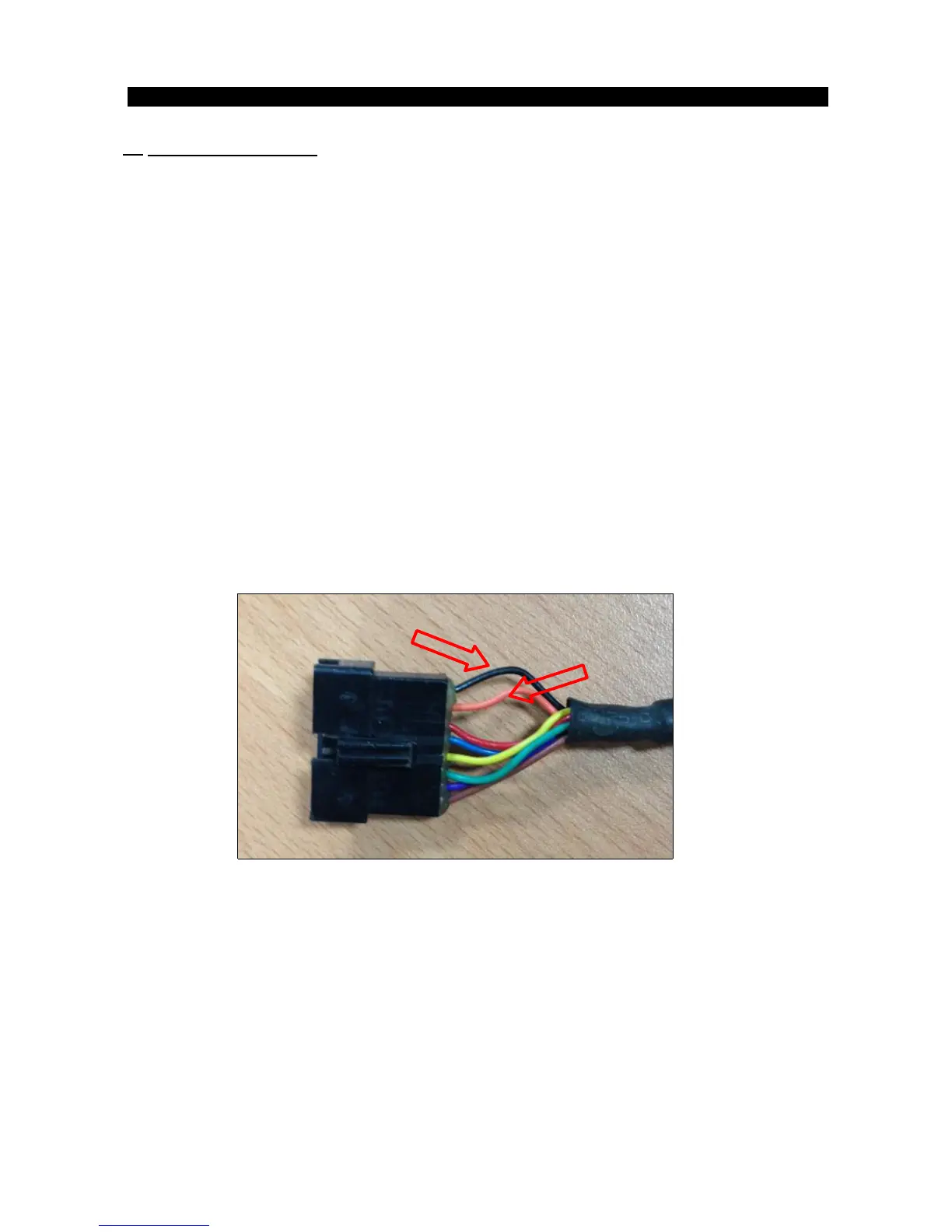
B) Test pins 1 & 2 of the connecter to verify that the voltage of the console cable is 12V-1A
(Figure A). If it is not, make sure that the DC cable and ECB fully connected. Replace
cables as necessary.
C) Check the wires in the console to make sure they are all fully connected.
(Figure A)
(Console cable’s connectors with PCB)
If the console cable’s output is DC 12V but the console does not light up, the console PCB is
defective. Replace the console set.


 To Next Page