CHAPTER 2: Console Overlay and Workout Description
2.1 CONSOLE OVERVIEW
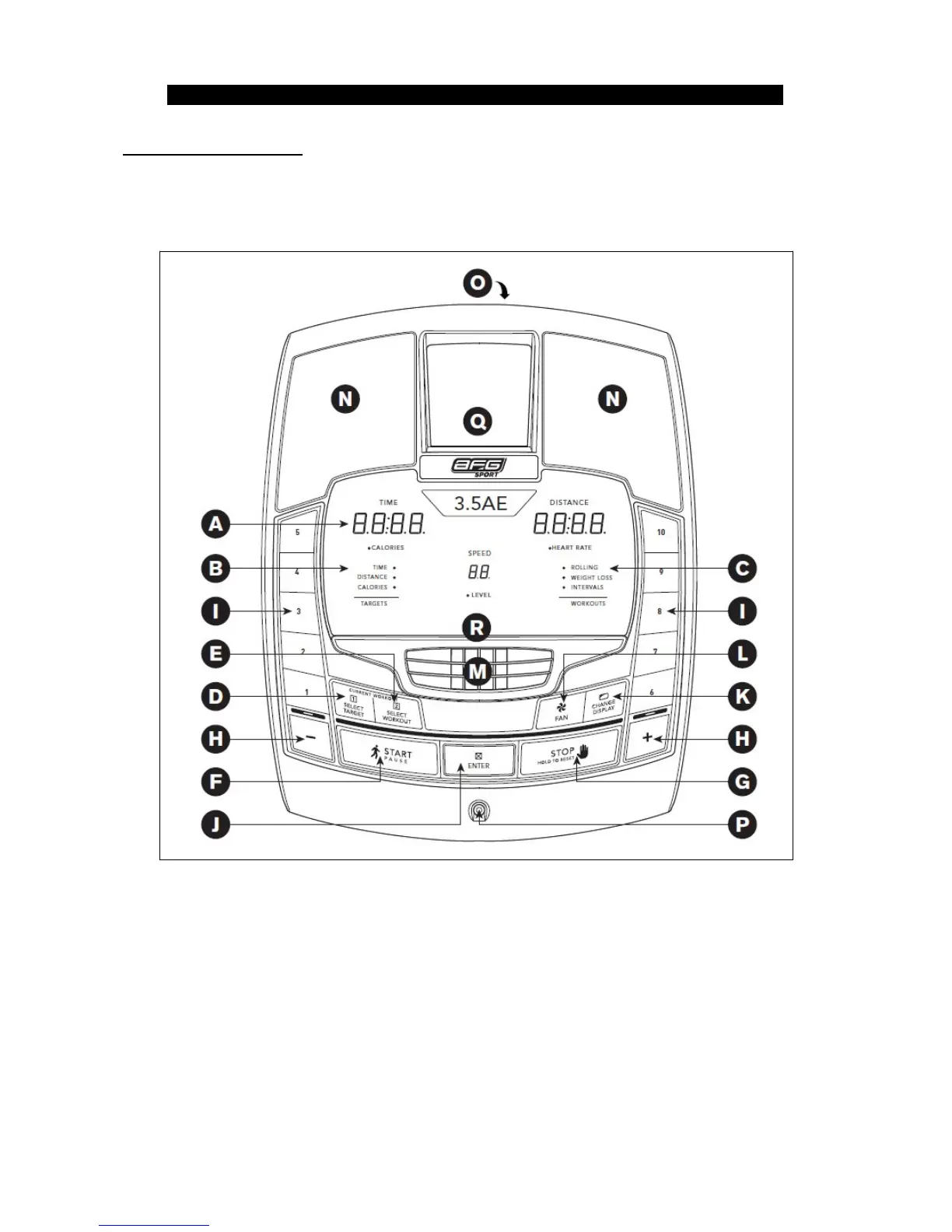
2.1.13.5AE CONSOLE OPERATION
Note: There is a thin protective sheet of clear plastic on the overlay of the console that should be removed before use.
: time, distance, calories, heart rate, speed and resistance level.
: indicate what target (if any) is set for the current program.
: indicate what workout (if any) is set for the current program.
: press to select your desired target.
: press to select your desired workout.
: press to begin exercising, start your workout, or resume exercising after pause.
: press to pause/end your workout. Hold for 3 seconds to reset the console.
: used to adjust resistance level.


 To Next Page