EasyManua.ls Logo

Afore BNT036KTL - User Manual

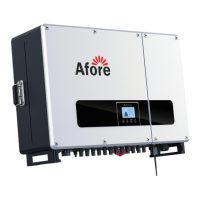
Afore BNT036KTL
25 pages
Print Icon
To Next Page IconTo Next Page
Loading...
Installation and Operation Manual
On-Grid PV Inverter
Version: 03.610100036013/V0.05

Questions and Answers

  • J
    Juan BergerSep 9, 2025
    How do I fix IntProtectA error on Afore BNT036KTL Inverter?
    • T
      Thomas AndersonSep 9, 2025
      If your Afore Inverter displays IntProtectA, which indicates bias current protection, try turning off the AC and then the DC circuit breaker, then restart the inverter. If the issue continues, consider replacing the control board.
  • K
    Kimberly NormanSep 7, 2025
    What does IntProtectQ error mean on Afore Inverter?
    • K
      kristen73Sep 7, 2025
      If your Afore Inverter shows an IntProtectQ error, it indicates DCI protection activation. Check that the PV array configuration is correct and verify the voltage difference between BUS+ and BUS- is not too high.
  • K
    Kathleen MillsAug 22, 2025
    What to do if my Afore BNT036KTL displays a GFCI.Err error?
    • A
      Allison SingletonAug 22, 2025
      If your Afore Inverter shows a GFCI.Err message, it indicates either a high ground leakage current or that the PV(+) or PV(-) is earthed. To resolve this, first, check the AC output wiring and restart the inverter. If the problem persists, check the PV array wiring.
  • J
    james90Sep 5, 2025
    What to do when Afore BNT036KTL Inverter shows IntProtectN error?
    • D
      denisepageSep 5, 2025
      If your Afore Inverter displays an IntProtectN error, it means the inverter is experiencing over current protection. If there are fluctuations on the grid, wait for it to return to normal; the inverter will restart automatically.
  • A
    Amy RussellSep 3, 2025
    What does IntFaultE error mean on my Afore BNT036KTL Inverter?
    • T
      Trevor WareSep 4, 2025
      If your Afore Inverter shows an IntFaultE error, it indicates an over current fault. The inverter will restart automatically once the grid returns to normal.
  • A
    Amanda AustinSep 2, 2025
    What does IntFaultD error mean on Afore BNT036KTL?
    • M
      Mercedes HardySep 2, 2025
      If your Afore Inverter shows an IntFaultD error, it indicates a software over current fault. Check that the PV array configuration is correct. If there are fluctuations on the grid, wait for it to return to normal; the inverter will restart automatically.
  • M
    matthewlaraSep 1, 2025
    How do I troubleshoot IntFaultG error on my Afore BNT036KTL?
    • E
      ethompsonSep 1, 2025
      If your Afore Inverter displays an IntFaultG error, it means the DCI is high. To fix this, first check that each PV array's configuration is correct, and then check that the voltage difference between BUS+ and BUS- is not too high.
  • D
    Dylan GrayAug 31, 2025
    What should I do if my Afore BNT036KTL shows IntProtectI error?
    • K
      Kathleen JimenezAug 31, 2025
      If your Afore Inverter displays an IntProtectI error, it indicates a bus voltage protection issue. To resolve this: 1. Check the AC output wiring is well connected, using stranded copper cable. 2. Check the PV array configuration is correct. 3. Check the voltage difference between BUS+ and BUS- is not too high.
  • S
    Sharon HoganAug 30, 2025
    What should I do if my Afore BNT036KTL Inverter shows IntProtectG error?
    • D
      Donald SmithAug 30, 2025
      If your Afore Inverter displays an IntProtectG error, it indicates a bus voltage protection issue. To resolve this: 1. Check the AC output wiring is well connected, using stranded copper cable. 2. Check the PV array configuration is correct. 3. Check the voltage difference between BUS+ and BUS- is not too high.
  • T
    Todd WilliamsAug 28, 2025
    What causes IntFaultM error on Afore BNT036KTL?
    • J
      Jeffrey MedinaAug 28, 2025
      If your Afore Inverter displays an IntFaultM error, it indicates a bus voltage fault. To address this: 1. Check that the AC output wiring is well connected, using stranded copper cable. 2. Verify that the PV array configuration is correct. 3. Check the voltage difference between BUS+ and BUS- is not too high.

Summary

2. Safety & Symbols

2.1 Safety Precautions

Lists essential safety measures for handling and operating the inverter.

2.2 Explanations of Symbols

Explains various safety symbols used in the manual and on the inverter.

3. Installation

3.5 Electrical Connection

Covers the essential steps for making electrical connections to the inverter.

3.5.1 PV Connection

Explains how to connect the PV strings to the inverter, including warnings.

3.5.2 Grid Connection

Details the procedure and requirements for connecting the inverter to the grid.

3.5.3 Earth Connection

Explains the importance and process of connecting the protective earth (PE) terminal.

4. Operation

4.1 Control Panel

Describes the components and indicators of the inverter's control panel.

5. Commissioning

7. Maintenance & Trouble Shooting

7.2 Fault Code and Trouble Shooting

Describes how to interpret fault codes and troubleshoot issues.

Trouble-Shooting List

Afore BNT036KTL Specifications

General IconGeneral
ModelBNT036KTL
Rated Output Power36 kW
Max. DC Voltage1100V
Start Voltage250 V
MPPT Voltage Range200-1000V
Number of MPPTs2
Rated AC Voltage400 V
AC Voltage Range310-480V
Nominal Frequency50/60 Hz
Total Harmonic Distortion (THD)<3%
DC ConnectionMC4
Protection DegreeIP65
Output Voltage400 V
MPPT Range200-1000V
Number of MPP Trackers2
Protection LevelIP65
Max. AC Power39600VA
Power Factor>0.99
Operating Temperature Range-25°C to 60°C
CommunicationRS485, Wi-Fi
CoolingSmart cooling
Cooling MethodSmart cooling

Related product manuals