22
Commissioning
EN
DTA 10
6.3 Terminating parameterisation
The menu item Alarm is the last point in the parameterisation.
1. Press the centre key 1 x to switch to the regular mode of operation.
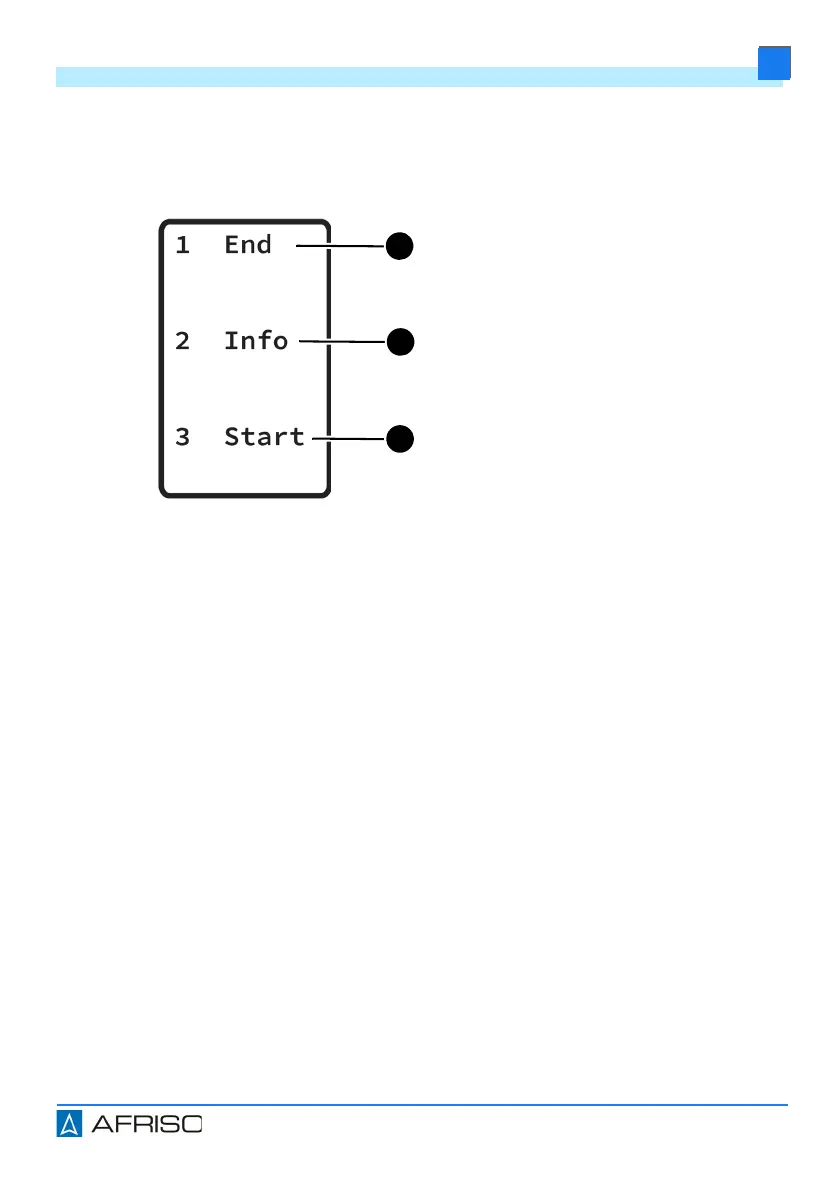
Info (B)
1. Press the centre key 1 x.
- The measured values are displayed.
2. Press the centre key 2 x.
- The battery status and software information are displayed.
3. Hold down the centre key.
- The display changes to the first parameters menu.
- The parameters entered can be changed again.
Start (C)
Starting a measurement.
End (A)
Switching off the product / changing
settings
1. Press the upper key 1 x.
- Product is switched off.
2. Hold down the upper key.
- The display switches to the lan-
guage selection.


 To Next Page