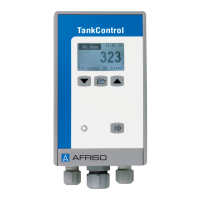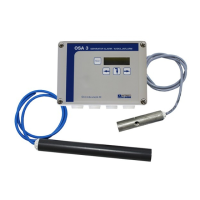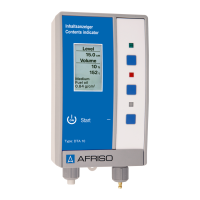
How to fix a blank display on my AFRISO Tank Equipment?
- GgwarrenAug 5, 2025
If the display on your AFRISO Tank Equipment remains blank, the monobloc battery (9 V) may be empty. Insert a new monobloc battery (9 V) to resolve this issue.
How to fix a blank display on my AFRISO Tank Equipment?
If the display on your AFRISO Tank Equipment remains blank, the monobloc battery (9 V) may be empty. Insert a new monobloc battery (9 V) to resolve this issue.
Why is my AFRISO Tank Equipment showing an incorrect level indication?
An incorrect level indication in your AFRISO Tank Equipment may be due to several reasons: * Incorrect tank data was entered. You should correct the tank data. * Incorrect tank shape was entered. You should correct the tank data. * The measuring line may not reach down to the tank bottom, so you should check it. * There may be a leak in the measuring line, so you should check it.
What to do if my AFRISO Tank Equipment displays a sensor error?
If your AFRISO Tank Equipment displays a sensor error, it could be due to: * A measuring line that is interrupted or bent. You should remove any bends or moisture from the measuring line. * The end of the measuring line is clogged. Verify that the measuring line is not damaged. * The measuring line contains liquid. Verify that the measuring line is not damaged.
What to do if my AFRISO DTA 10 show incorrect level indication?
If your AFRISO Measuring Instruments display an incorrect level indication, several factors could be responsible: * Incorrect tank data may have been entered. You should correct the tank data. * The tank shape may have been entered incorrectly. Correct the tank data. * The measuring line might not reach the bottom of the tank. Check the measuring line inside the tank. * There may be a leak in the measuring line. Inspect the measuring line within the tank.
How to fix an AFRISO DTA 10 Measuring Instruments display that doesn't show anything?
If the display of your AFRISO Measuring Instruments is blank, it's likely that the 9 V monobloc battery is empty. To resolve this, insert a new 9 V monobloc battery.
| Resolution temperature | 0.1 °C |
|---|---|
| Protection class | IP65 |
| Measuring range humidity | 0 to 100 %RH |
| Accuracy temperature | ±0.5 °C (at 25 °C) |
| Resolution humidity | 0.1 % r. h. |
Explains the purpose, accessibility, and sharing of the operating instructions document.
Details how safety messages are highlighted and categorized based on hazard severity.
Specifies the liquids the product can measure and prohibited uses.
Lists cases and purposes for which the product must never be used.
Defines the necessary training and knowledge for personnel working with the product.
Emphasizes wearing required PPE and considering site-specific hazards.
Describes the product composition, control unit, display, and housing.
Provides the physical dimensions (width, height, depth) of the product.
Lists all items included in the product package with their descriptions.
Illustrates a typical application scenario for the digital tank contents indicator.
Explains product operation, settable parameters, and alarm triggers.
Lists the directives and standards the product complies with.
Presents detailed technical specifications including dimensions, materials, and ranges.
Details how to mount the control unit to the wall, including verification points.
Covers the electrical connection procedure, including battery installation.
Explains the process of connecting the measuring line to the tank.
Describes how to connect the measuring line to the control unit.
Details the installation of an optional mounting kit for specific battery tanks.
Outlines the initial steps for setting up and starting the product.
Guides the user through the process of choosing the display language.
Explains how to configure product parameters using the keys and display.
Details how to select the type of liquid to be measured.
Explains how to configure the product for different tank geometries.
Describes how to set the maximum measurable liquid height.
Guides the user on setting the total tank volume.
Explains how to configure alarm thresholds based on liquid level.
Describes how to exit parameterisation and access device information.
Details the procedure for initiating a liquid level measurement.
Explains how to check the battery level and software information.
Describes the steps to turn off the device and its automatic shutdown feature.
Specifies when maintenance activities, like battery replacement, should be performed.
Outlines the procedure for replacing the battery and retaining settings.
Loading...