AG Duo Operation Manual
AR / 25.07.23 / Version 1 38
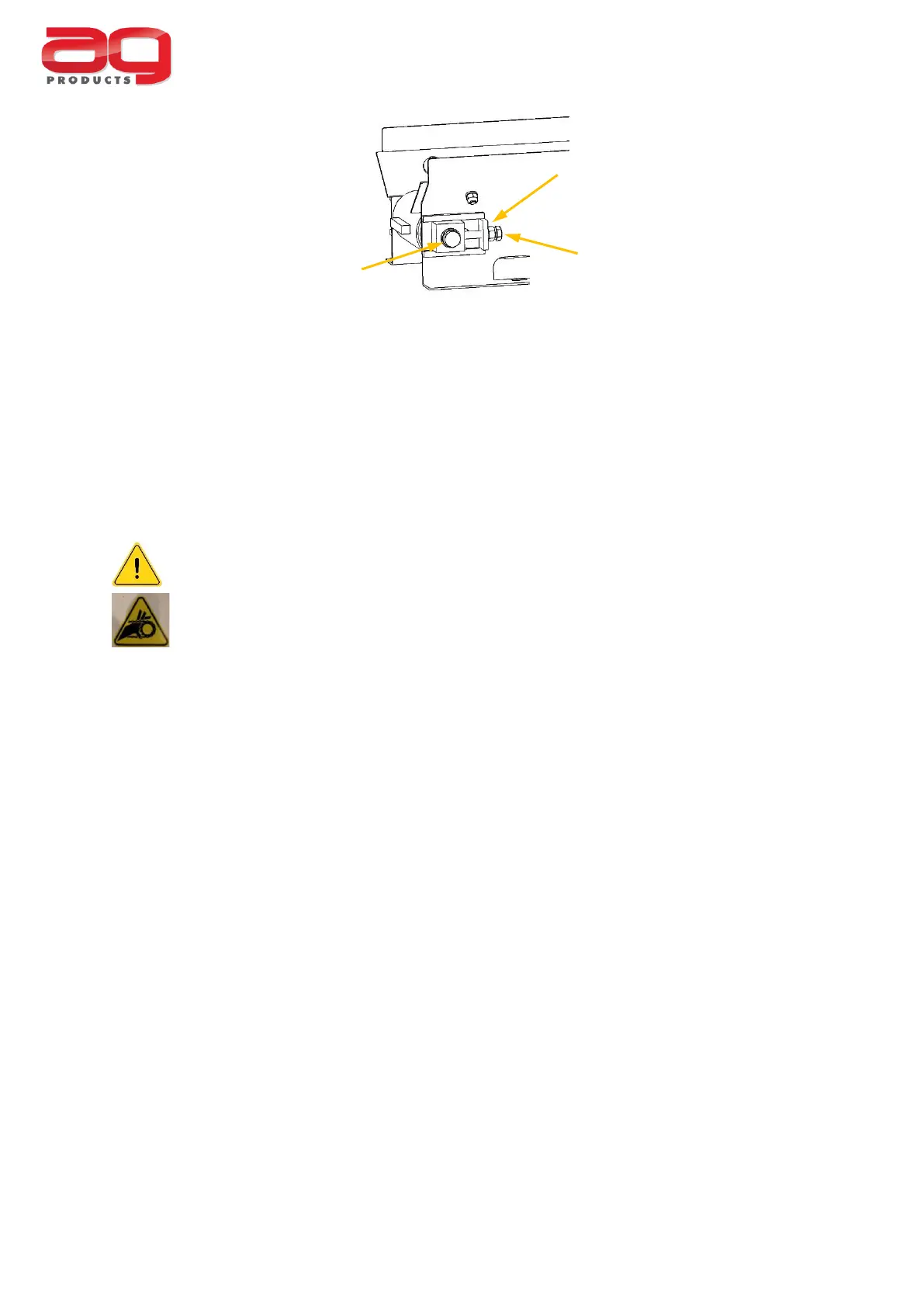
Slacken the locking bolt and the lock nut and use the belt tensioner to increase the belt
tension. The belt can be turned by hand, in the correct direction of travel, after each
adjustment to gauge the effect. Small adjustments can make a difference and it is
recommended that the adjustment is made one flat at a time.
Tighten the lock nut and locking bolt.
As a final alignment check, the conveyor may be run under power.
Take extra care when using the AG Duo with any of the covers removed.
Danger of moving parts.
All covers and access panels must be fitted before full operation.
If it is suspected that the conveyor belt is running slow, this can indicate that the belt is
slipping due to insufficient tension. In this case, the tension should be increased on both
sides. Always check that the belt is running centrally after any tension adjustments.
Be cautious not to overtighten the conveyor belt as this may cause premature wear on
other moving parts.
If in doubt, contact your local dealer or Garnett Farms Engineering Ltd. for advice.



 To Next Page