37
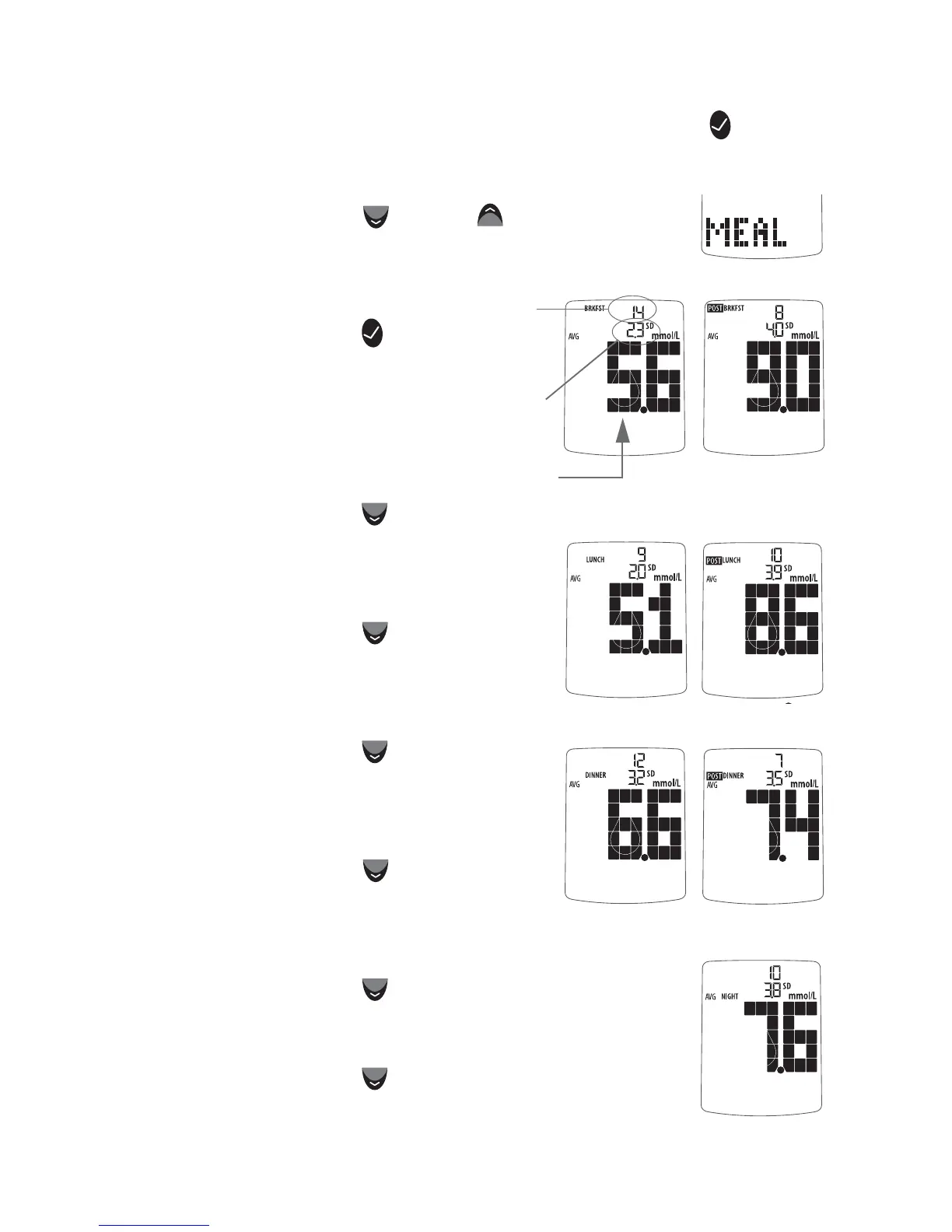
[1] When your meter is deactivated, press the CHECK ( ) button
once to enter menu mode. The word “MEM” is displayed.
[2] Press the DOWN (
) or UP ( ) arrow buttons
until the word “MEAL” appears in the lower part
of the display.
[3] Press the CHECK ( )
button again to enter the
mealtime averages section.
The display now shows your
breakfast average.
[4] Press the DOWN (
) arrow
button. The display now shows your
post breakfast average.
[5] Press the DOWN (
) arrow
button. The display now shows your
lunch average.
[6] Press the DOWN (
) arrow
button. The display now shows your
post lunch average.
[7] Press the DOWN (
) arrow
button. The display now shows your
dinner average.
[8] Press the DOWN (
) arrow button. The
display now shows your post dinner average.
[9] Press the DOWN (
) arrow button. The
display now shows your bedtime average.
Number
of results
tagged
Standard
Deviation
Average
Test Result



 To Next Page