61
Time and Date Setting After Battery Replacement
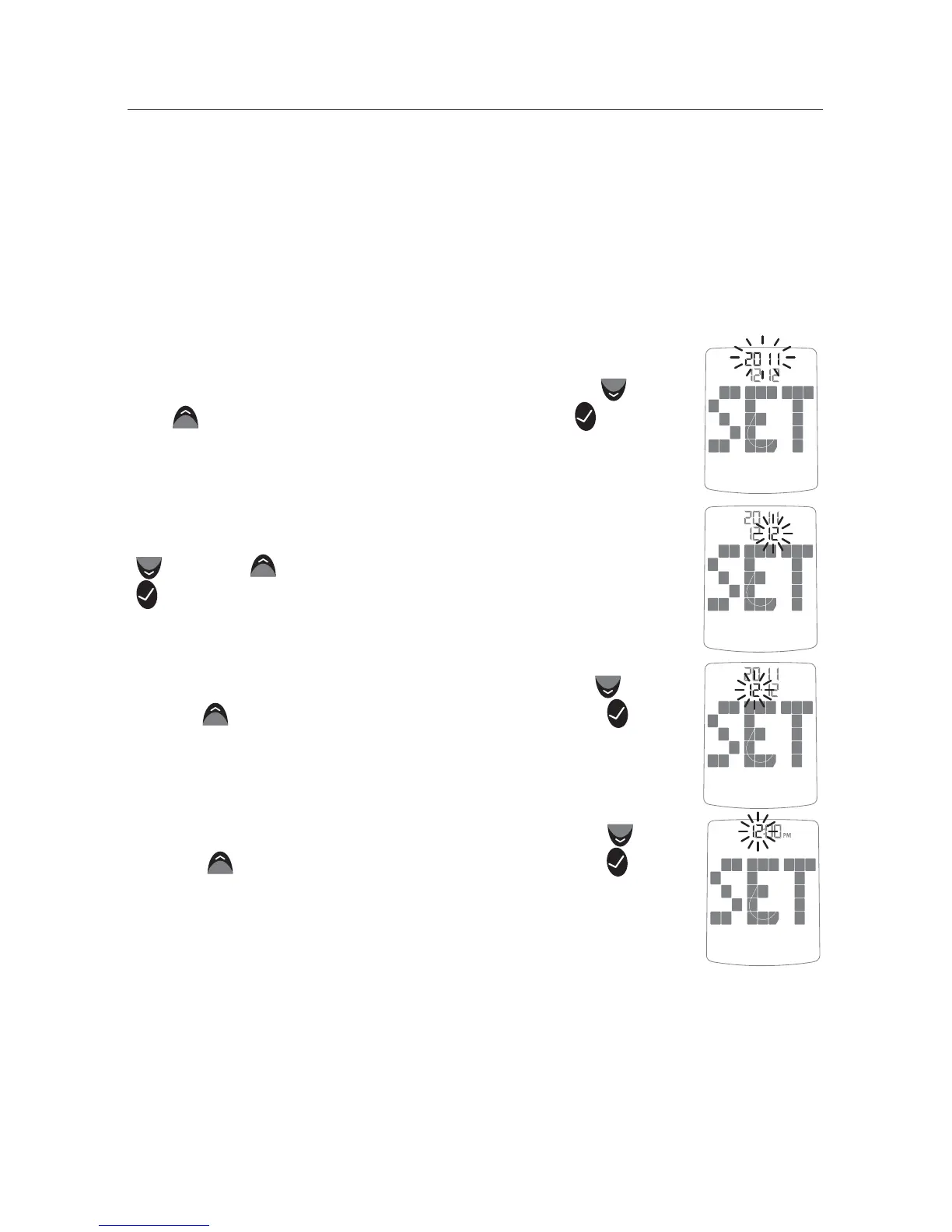
If the date and time need to be set, the word “SET” will be
displayed the first time the meter is activated.
Note: The meter retains the date and time format [24 or 12 hour
time, M-d (Month-Day) or d-M (Day-Month)]
[1] Set the year (flashing) with the DOWN (
) o r
UP (
) arrow buttons. Press the CHECK ( ) but-
ton to confirm your selection.
[2] Set the month (flashing) with the DOWN
(
) or UP ( ) arrow buttons. Press the CHECK
(
) button to confirm your selection.
[3] Set the day (flashing) with the DOWN (
)
or UP (
) arrow buttons. Press the CHECK ( )
button to confirm your selection.
[4] Set the hour (flashing) with the DOWN (
)
or UP (
) arrow buttons. Press the CHECK ( )
button to confirm your selection.



 To Next Page