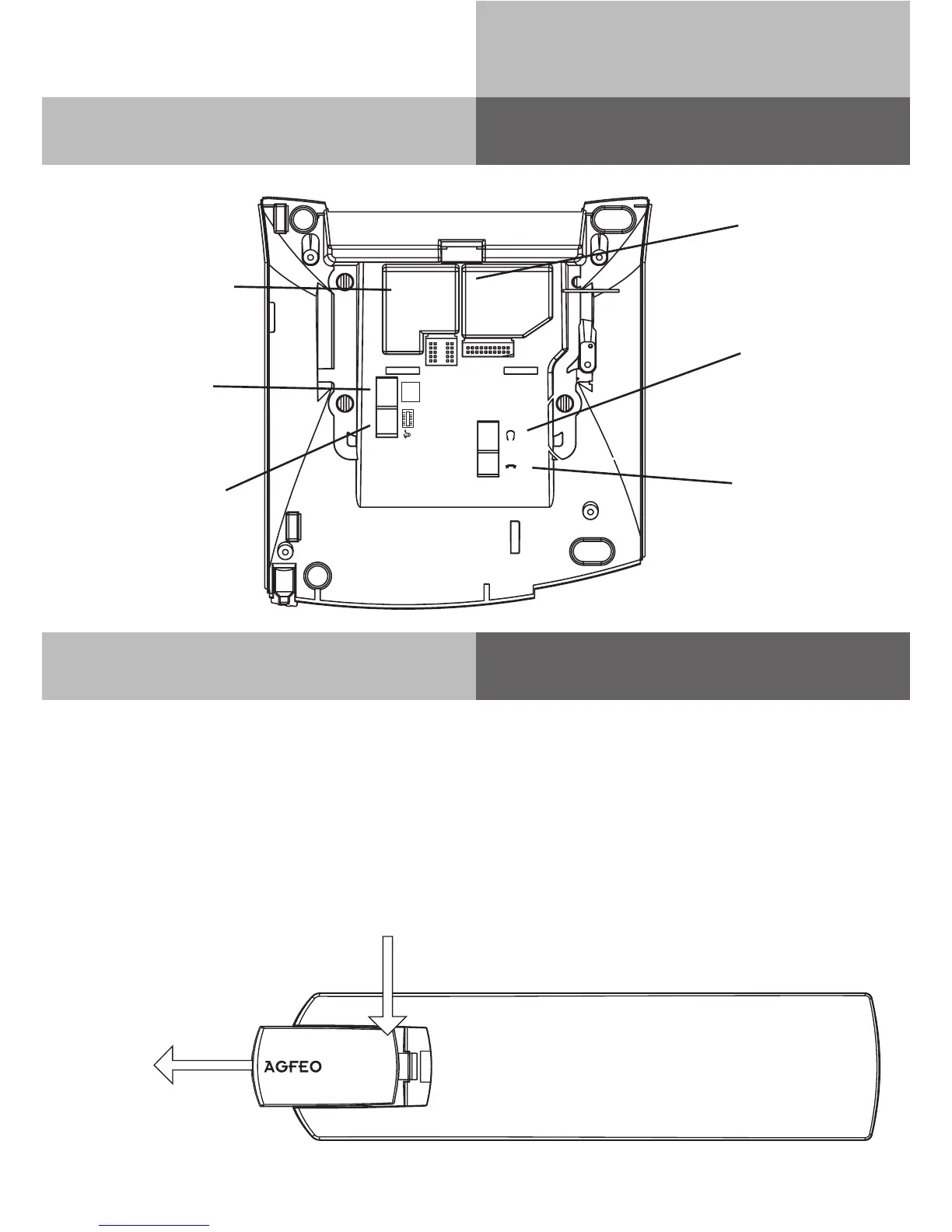
Underneath the ST 42
The connection of an Untangler
In the handset of the ST 42 you will find a compartment for a cord untangler. Due to this design the
untangler will not be obtrusive when on the phone or interfere when on the receiver is put back on
hook.
- to open the handset cover , press the lid (arrow 1) and remove lid (arrow 2).
- unplug the handset cord from the handset.
- connect the untangler to the handset.
- connect the handset cable to the untangler.
- Close the lid
Connection for op-
tional Power Plug
or Optional STE 40
Connection to the
PBX System
Module Shaft
for optional
A-Module 42
Connection of
Receiver
Connection
for Headset
(disabled with
inserted BT-
Module 40)
1)
2)
Module Shaft for op-
tional
BT-Module 40
S0/
UP0


 To Next Page