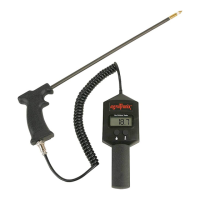
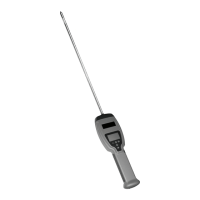
Operation
BASIC OPERATION
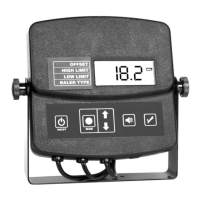
1. Turn the tester on by pressing the power on/off button (A).
2. The unit will first display the unit’s “software version”.
3. The unit will then display the current baler type selected and also
indicate if there are any offsets or limits set in the tester.
4. You are now ready to bale hay! The tester will now begin to display
the current moisture of the hay in the chamber every 2 seconds.
***If the chamber is empty or the moisture is below the limits of
the tester during the “NORMAL OPERATION MODE” the tester will
display “LO” for the moisture.
***If the moisture is above the limits of the tester during the “NOR-
MAL OPERATION MODE” the tester will display “HI” for the moisture.
CHANGE TESTER SETTINGS
SETTING THE BACKLIGHT BRIGHTNESS
The tester’s backlight brightness is set to maximum intensity by default
on power up. When the tester is in “NORMAL OPERATION MODE”, you
can adjust the backlight brightness by pressing the up and down arrow
buttons (C). The down arrow will decrease the brightness and the up
arrow will increase the brightness.
SETTING THE MOISTURE OFFSET
If you determine that the hay is higher or lower than the displayed read-
ing you can apply an offset to modify the displayed reading. By default
the offset is set to 0%. The offset can be set within a range of -10 to
+10% in 0.5% increments.
1. Press the mode button (B) until the triangular indicator (F) is blinking
next to “OFFSET”.
2. Use the arrow buttons (C) to adjust the offset up or down. The offset you
select will be added to or subtracted from the factory calibrated reading.
NOTE: If there is no offset applied or you wish to turn off the
offset simply set the offset to 0.
17


 To Next Page