EasyManua.ls Logo

Aikoh Engineering RZ-50 - User Manual

Default Icon
20 pages
To Next Page IconTo Next Page
Loading...
(IMPORT & EXPORT DEPT.)
OSAKA 15-7, 2-Chome, Hishie, Higashi-Osaka city, Osaka TEL (072)966-9011 FAX (072)966-9017
TOKYO 14-1, 5-Chome, ND bldg.,7F, Ueno, Taito-ku, Tokyo TEL
(
03
)
5807-6434 FAX
(
03
)
3834-2098
NAGOYA 210, 2-Chome, Sakuta, Nagakute city, Aichi TEL
(
0561
)
64-2331 FAX
(
0561
)
64-2332
OSAKA 15-7, 2-Chome, Hishie, Higashi-Osaka city, Osaka TEL
(
072
)
966-9011 FAX
(
072
)
966-9017
InstructionManual
Pleasereadthisinstructionmanual
thoroughlybeforeusingthegagefor
thefirsttime.
Thismanualisveryimportantwhenusingtheproduct.
Keepitneartheproductinsuchawaythatitcanbe
referredtoatanytimenecessary.
ThisinstructionmanualcoversbothModelRZSeriesand
ModelRZ-TSeries.
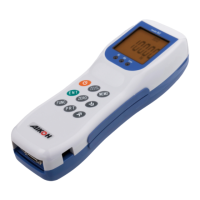
DigitalForceGage
ModelRZSeries
Question and Answer IconNeed help?

Do you have a question about the Aikoh Engineering RZ-50 and is the answer not in the manual?

Aikoh Engineering RZ-50 Specifications

General IconGeneral
ModelRZ-50
ManufacturerAikoh Engineering
CategoryMeasuring Instruments
Resolution0.01 μm
TypePortable Surface Roughness Tester
Stylus Tip Radius5 μm
Tracing Speed0.5 mm/s
Evaluation Length2.5 mm
Sampling Length0.25 mm, 0.8 mm
Parameters MeasuredRa, Rz, Rq
DisplayLCD
Power SupplyAC adapter or battery

Summary

Safety Precautions

Safety Symbol Definitions

Explains the meaning of DANGER, WARNING, and CAUTION symbols.

Critical Safety Warnings

Covers essential safety advice for device usage and potential hazards.

Usage Cautions and Precautions

Force, Environment, and Temperature Limits

Adheres to force limits, operating environment, and temperature range.

Mounting and Shaft Handling Precautions

Guides on correct mounting procedures and shaft force application.

Nomenclature and Device Functions

Device Operating Modes

Initial Setup and Charging

Pre-Use Charging Procedure

Guides on charging the device before its first use.

Setting the Comparator Function

Comparator Function Setup

Details how to enable/disable and set up the comparator function.

Limit Value Concepts and Stand Control

Stand Control Function Setup

Guides on configuring the stand control function for test stands.

Test Stand Installation and Display

Test Stand Installation Precautions

Advises on precautions when installing the gage on an electric test stand.

Analog Output and Battery Saving

Measurement Conditions and Units

Measurement by Memory Function

Measurement by External Contact Hold

Connector Measurement and Calibration

Force Calibration Procedure

Outlines the steps for performing force calibration.

Force Calibration Steps

Initial Calibration Setup

Covers powering on, attaching hook, and checking weight limits.

Setting and Confirming Calibration Values

Guides on setting calibration weight and confirming values.

Finalizing Force Calibration

Explains the final steps to complete and store calibration results.

Input;Output Specifications

Printer Cables and Model Specifications

Warranty Information

Warranty Coverage and Terms

Outlines the warranty period, coverage, and exclusions.

Related product manuals