-9- -10-
UserSettingMode
<Modeselectionandsetting>
①
②
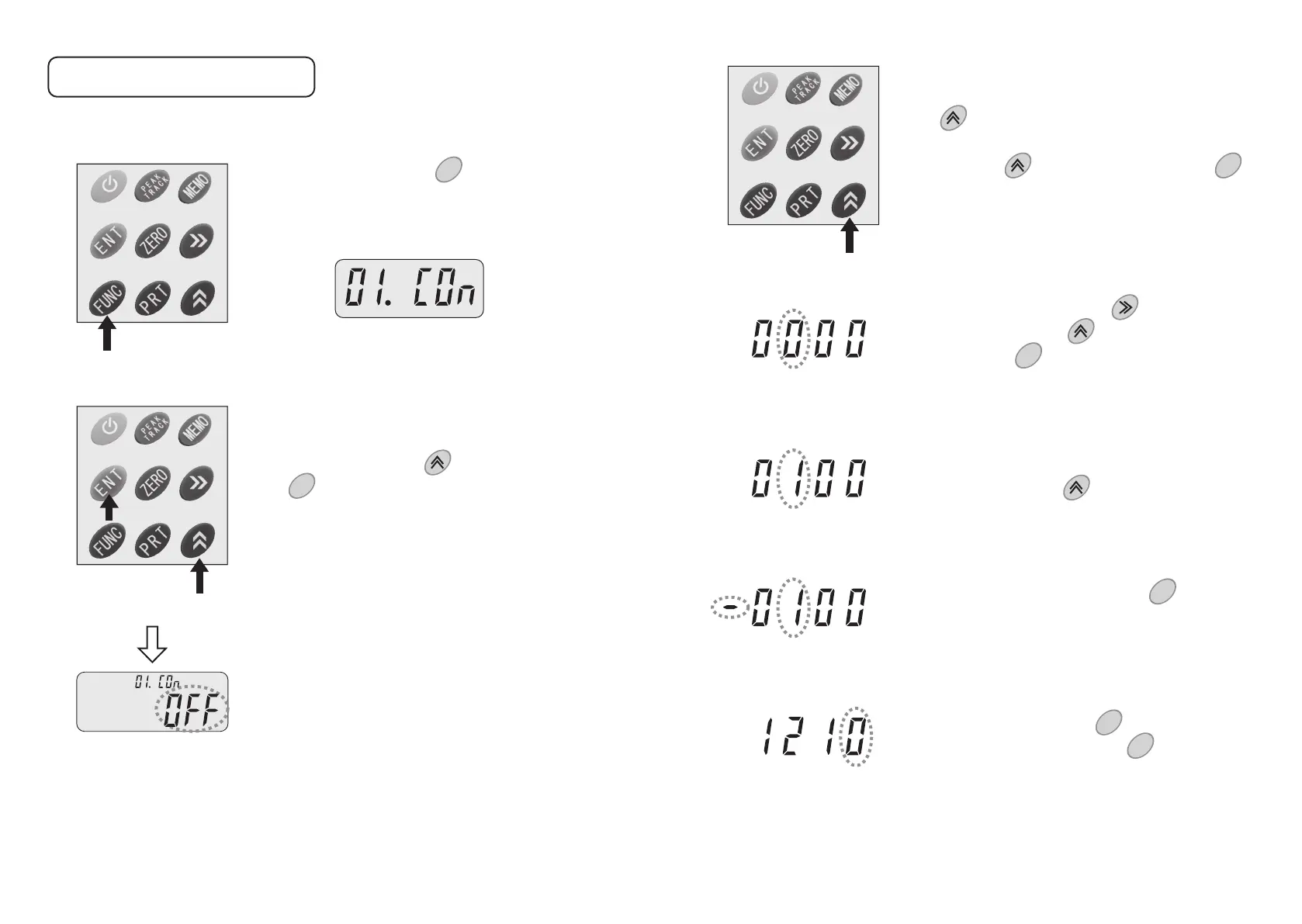
Pressingandholdingthe keyfor3secondsor
longersetstheusersettingmode.
Atthebeginning,thefollowingmodeselectscreen
willappear.
FUNC
Goto01to13withthe keyandselectitwith
the key.
Onthesettingscreen,thenameoftheselected
modeisshownatthetop.
ENT
③
④
⑤
Onthesettingscreen,changethesettingwith
the key.
WhenthesettingissuchasON-OFF,selecteither
onewiththe keyandacceptitwiththe
keyandthenreturntotheselectscreen.
Toenteranumericvalue,followthestepsbelow.
ENT
Aftermovingittoadigittosetorchange,select
avaluetosetwiththekey.
Gotoadesireddigitwiththe keyandentera
numericvaluewiththe key.Theminussignis
addedwiththe key.
(Whenthesign−isshown,itisacompression
valueandwhennosignisshown,itisatension
value.)
MEMO
Toaddtheminussign,pressthekey.Then
thesign−willbeshownontheleftsideofthe
value.Whenthekeyispressedagain,thesign−
willgoout,indicatingthatthevalueisaplusvalue.
MEMO
Acceptthevaluewiththe keyandreturnto
themodeselectscreenwiththe key.
ENT
FUNC



 To Next Page