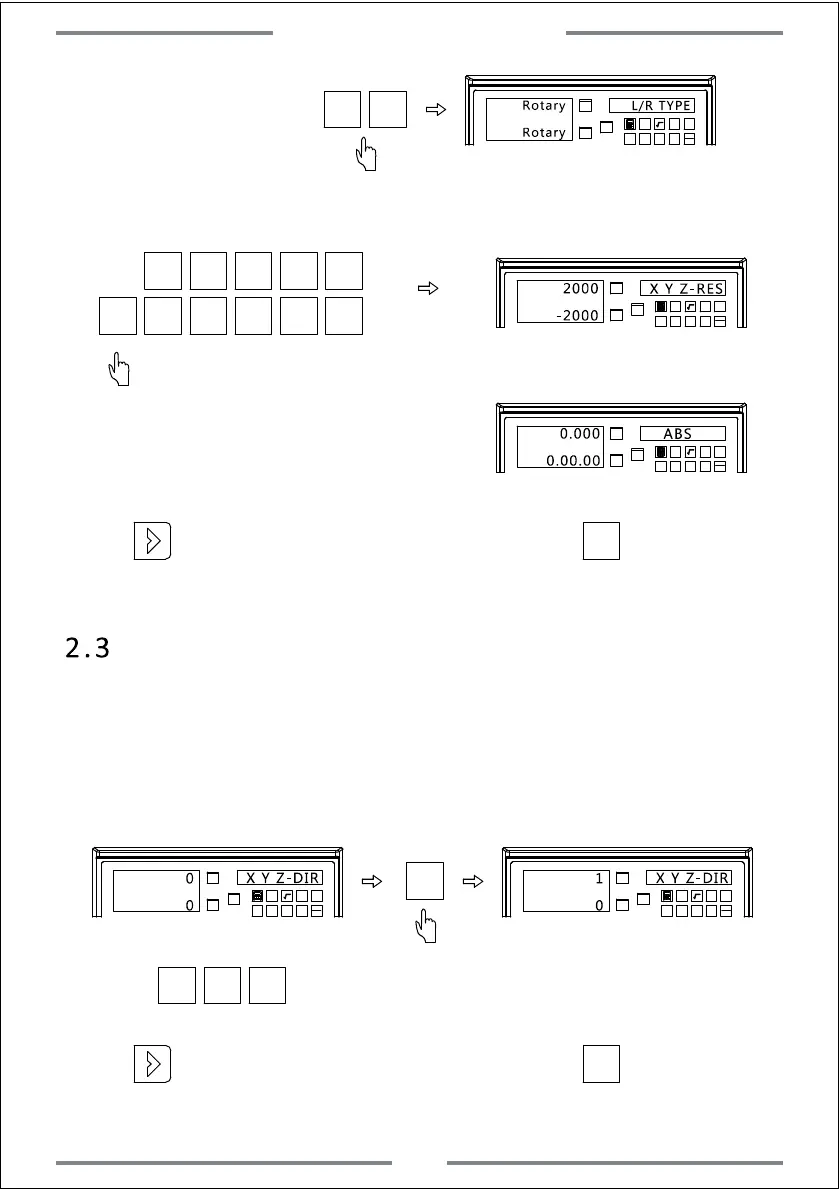
2.3 Counting Direction Setting
The counting direction can be reversed in this DRO.When the left axis
window displaying 0,it indicates this axis counts as positive
direction.When the left axis window displaying 1,it indicates this axis
counts as negative direction.The operations are shown as below:
X0
Y0
X
1 32
-
+
CLS
Arc
sin
TOOL
X0
Y0
X
1 32
-
+
CLS
Arc
sin
TOOL
X0
Press to change the counting direction of X,Y,Z axis.
X0 Y0 Z0
X Y Z-DIR
0
0
X Y Z-DIR
1
0
Set the encoder type
be rotary.
X0
Y0
X
1 32
-
+
CLS
Arc
sin
TOOL
Y0
L/R TYPE
Rotary
Input 2000 as the resolution of X axis.Input-2000 as the resolution of Y axis.
X0
Y0
X
1 32
-
+
CLS Arc
sin
TOOL
2000
X Y Z-RES
-2000
X
2 0 0 0
-
2
Y
Rotary
X0
0 0 0
The counting of X axis is displaying as degree.
The counting of Y axis is displaying as degree
/minute/second.
X0
Y0
X
1
32
-
+
CLS Arc
sin
TOOL
0.000
ABS
0.00.00
·
Press to enter the next parameter setting,or press to save and exit.
·
Press to enter the next parameter setting,or press to save and exit.
4
System Parameter Setting



 To Next Page