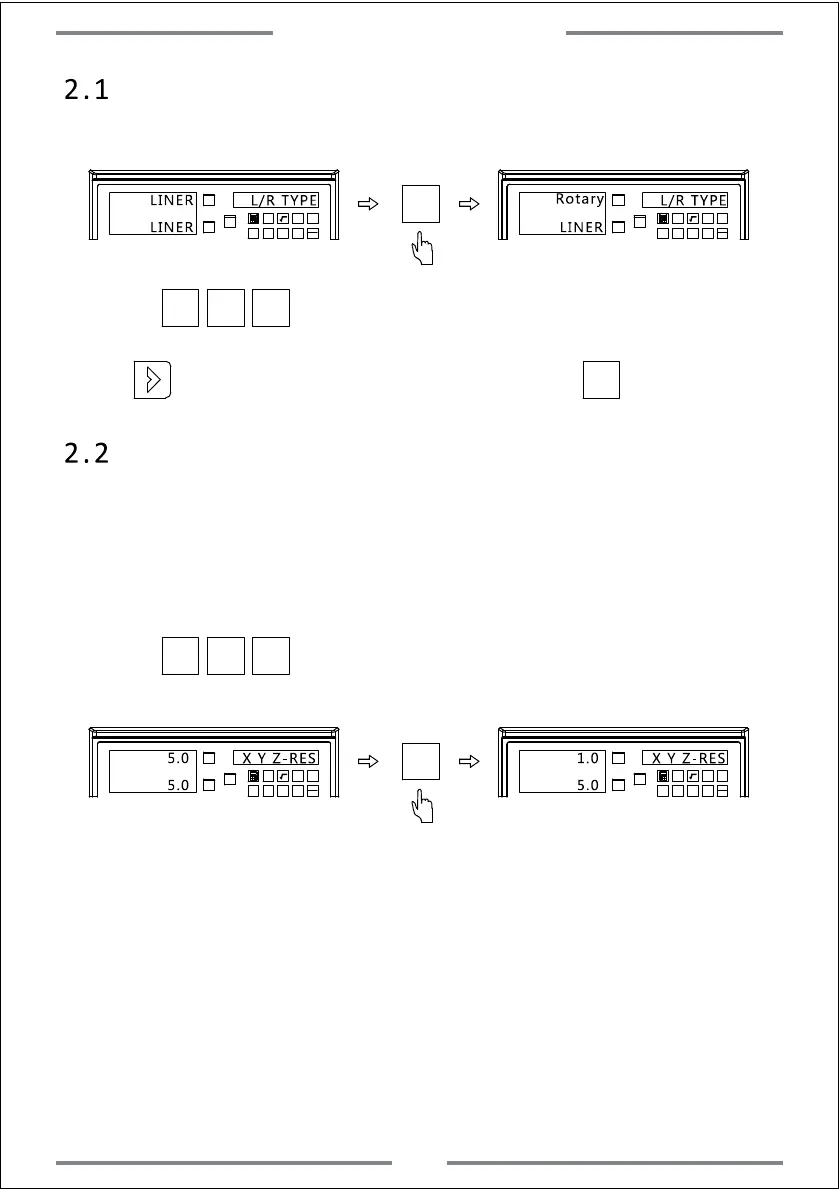
2.1 Encoder Type Setting
X0
Y0
X
1 32
-
+
CLS
Arc
sin
TOOL
X0
Y0
X
1 32
-
+
CLS
Arc
sin
TOOL
LINER
L/R TYPE
LINER
LINER
L/R TYPE
Rotary
X0
(LINER indicates linear encoder.Rotary indicates rotary encoder)
Press to change the encoder type.
X0 Y0 Z0
·
2.2 Resolution Setting
X0
Y0
X
1 32
-
+
CLS Arc
sin
TOOL
X0
Y0
X
1 32
-
+
CLS Arc
sin
TOOL
X Y Z-RES
5.0
X0
(Set the resolution for the corresponding encoder)
(1) The fixed resolution of linear encoder includes:
0.1um,0.2um,0.5um,1um,2um,2.5um,5um,10um,20um,50um.
X0 Y0 Z0
5.0
1.0
5.0
X Y Z-RES
(2) For setting the resolution of rotary encoder,we need to input the
corresponding resolution(ppr).There are two ways for displaying.When the
positive number has been input,the displaying will be as degree.When the
minus number has been input,the displaying will be as
degree/minutes/seconds.
Example:The resolution of rotary encoder is 2000ppr.
Press to enter the next parameter setting,or press to save and exit.
Press to change the resolution for each axis.
3
System Parameter Setting



 To Next Page