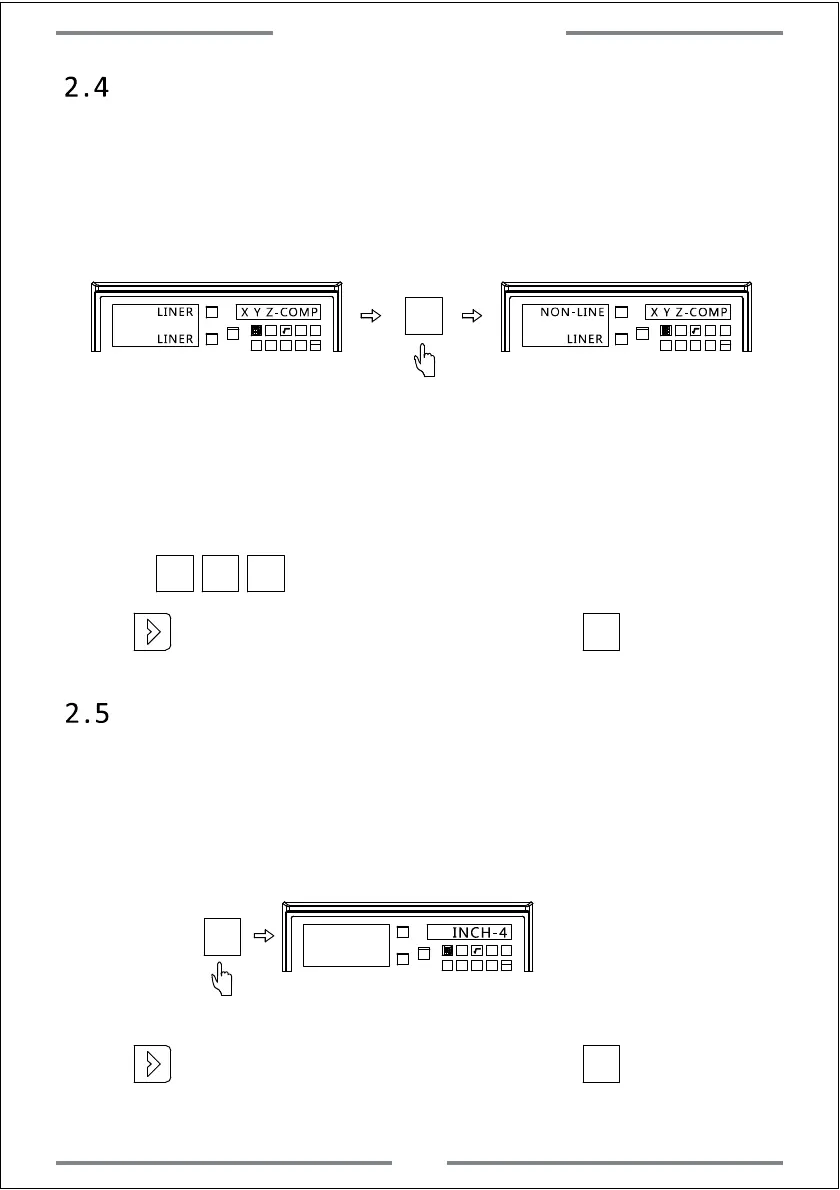
2.4 Compensation type setting (Linear or Non-Linear)
When entering the compensation type setting,LINER displayed on left
axis window indicates linear compensation for this axis.NON-LINER
indicates non-linear compensation type.The operations are shown as
below:
X0
Y0
X
1 32
-
+
CLS Arc
sin
TOOL
X0
Y0
X
1 32
-
+
CLS Arc
sin
TOOL
X0
X Y Z-COMP X Y Z-COMP
LINER
LINER
NON-LINE
LINER
LINER: Selecting linear compensation type(For detail setting,please refer
the linear compensation instruction)
2.5 Imperial Decimal Setting
There is option to display 4 or 5 digits after decimal point under
imperial model.User could set according to using habit.The operations
are shown as below:
X0
Y0
X
1 32
-
+
CLS Arc
sin
TOOL
INCH-4
Press to change the compensation type of X,Y,Z axis.
X0 Y0 Z0
X0
NON-LINER: Selecting non-linear compensation type(For detail compensation
setting,please refer the non-linear compensation instruction)
·
Press to enter the next parameter setting,or press to save and exit.
·
Press to enter the next parameter setting,or press to save and exit.
5
System Parameter Setting



 To Next Page