2.2.1 Installing the AIM Hardware
ESD Warning!!! The PCI 1553 boards are typical electronic devices that are
sensitive to electrostatic discharge. It is important to observe normal
precautions when handling the board to prevent damage.
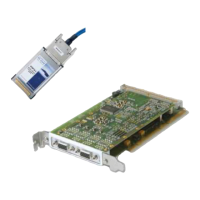
To install the API1553, ACI1553, APX1553 or ACX1553 board
1. Power off the PC
2. Insert the board into an available PCI slot
3. Reboot the PC
Windows will recognize the new hardware as an API1553, ACI1553,
APX1553, ACX1553 board or a PCI Bridge Device and start the Found New
Hardware Wizard.
To install the AMC1553 board
1. Power off the PC
2. Insert the AMC1553 board into an available PCI slot via a PMC-Adapter or
insert the AMC1553 board into an available cPCI slot via a PMC carrier board
(e.g. AIM ACC board)
3. Reboot the PC
Windows will recognize the new hardware as an AMC1553 board or a PCI
Memory Controller and start the Found New Hardware Wizard.
To install the AEC / APM1553 board
1. Insert the board into an available ExpressCard / PC-Card slot
Windows will recognize the new hardware as an AEC1553, APM1553 board
or a PCI Memory Controller and start the Found New Hardware Wizard.
To install the APU1553 board
1. Insert both USB-A plugs into free USB ports of you computer. Insert the mini
USB plug into the APU1553 USB device. Windows will then start the Found
New Hardware Wizard.
To install the AXC/AMCX1553/APE1553 board
1. Power off the PC
2. Insert the board into an available slot.
3. Start the PC
4. Windows will recognize the new hardware as an AXC/AMCX1553 /APE
board or a PCI Memory Controller and start the Found New Hardware
Wizard.


 To Next Page