3.3 Removing Previously Installed Drivers and BSP
Before installing the new PCI 1553 Windows BSP, it is recommended that the previously
installed drivers and BSP are removed from the system. The next chapter explains how to
remove the Windows system driver and BSP from a PC.
3.3.1 Removing the Windows system driver and BSP
To remove the previously installed Windows driver
1. Go to Start | Settings | Control Panel | System. Then select the Hardware
Tab. In the Hardware Tab select the Device Manager… button.
(For Windows XP users it may be necessary to first select Start | Control
Panel | Switch to Classic View in order to find the System icon)
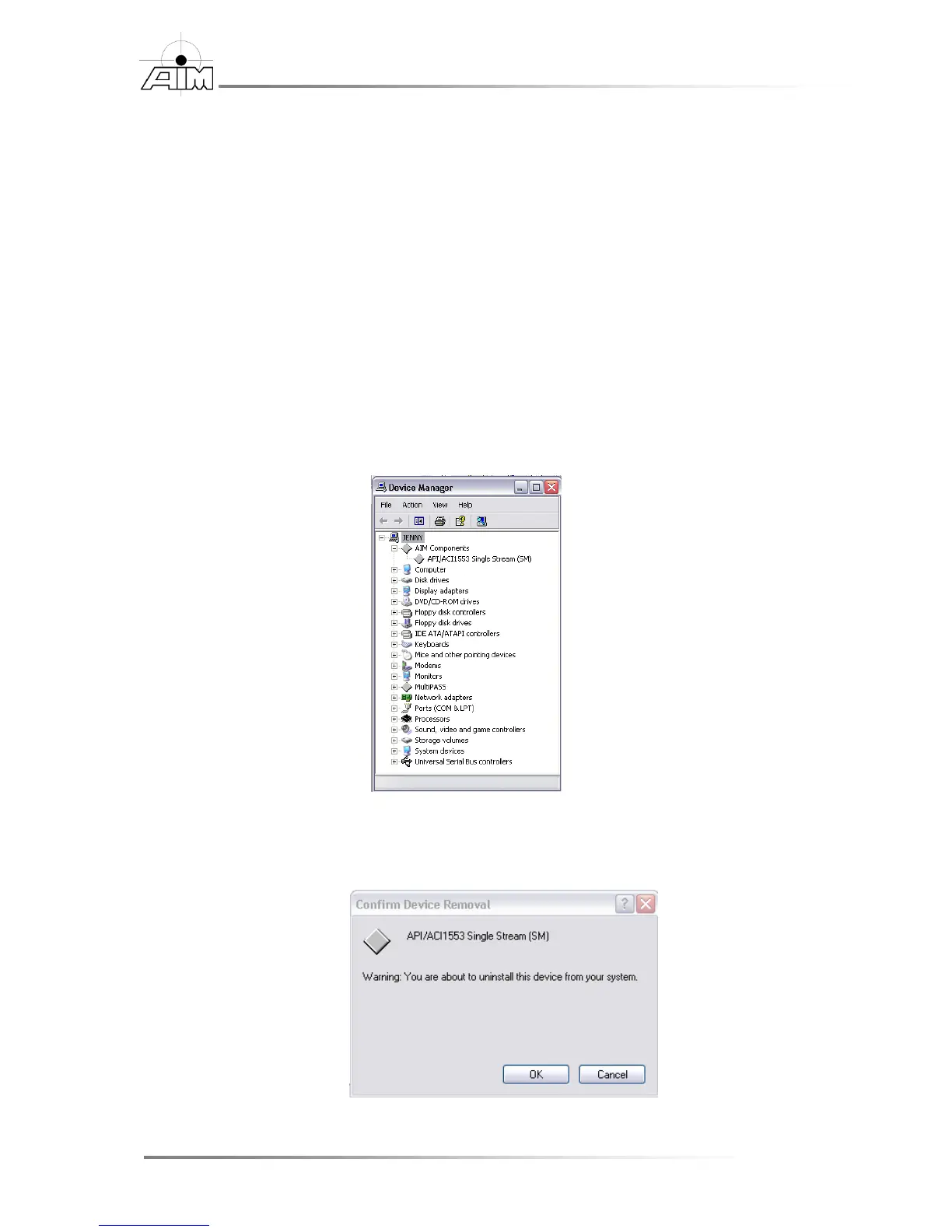
2. In the Device Manager window, right click over the PCI 1553 entry and
select Uninstall.
3. Confirm the device removal by selecting the OK button. On Windows Vista
and newer please make sure to check the remove driver for this device check
box.


 To Next Page