4. Next, delete the following files if they exist (Windows XP only):
for PCI devices
x:\Windows\System32\Drivers\Aim_mil.sys
for USB devices
x:\Windows\System32\Drivers\Aim1553Usb.sys
x:\Windows\INF\oemxx.inf (where xx = number)
(INF is a hidden folder, to find this folder you may first need to select
Tools|FolderOptions|View tab|Show hidden files and folders in
Windows Explorer)
Note: Windows creates the oemxx.inf installation files (where xx = number)
when installing new drivers. Therefore, it will be necessary to determine the
actual name that Windows has assigned to the AIM PCI 1553 driver .inf
file (for example, oem0.inf or oem11.inf). To find the actual name of
the .inf file, search the INF folder for the text "AIM GmbH" and verify
the contents are related to the AIM GmbH API driver using a text editor
such as Notepad or Wordpad prior to deletion.
5. Use the pnputil.exe command to find and delete all 1553 drivers. (Windows
Vista and Windows 7 only)
pnputil –e will list all device drivers installed on the system.
pnputil –d oemXX.inf will delete a specific driver. Proceed calling this
command until all old drivers are removed.
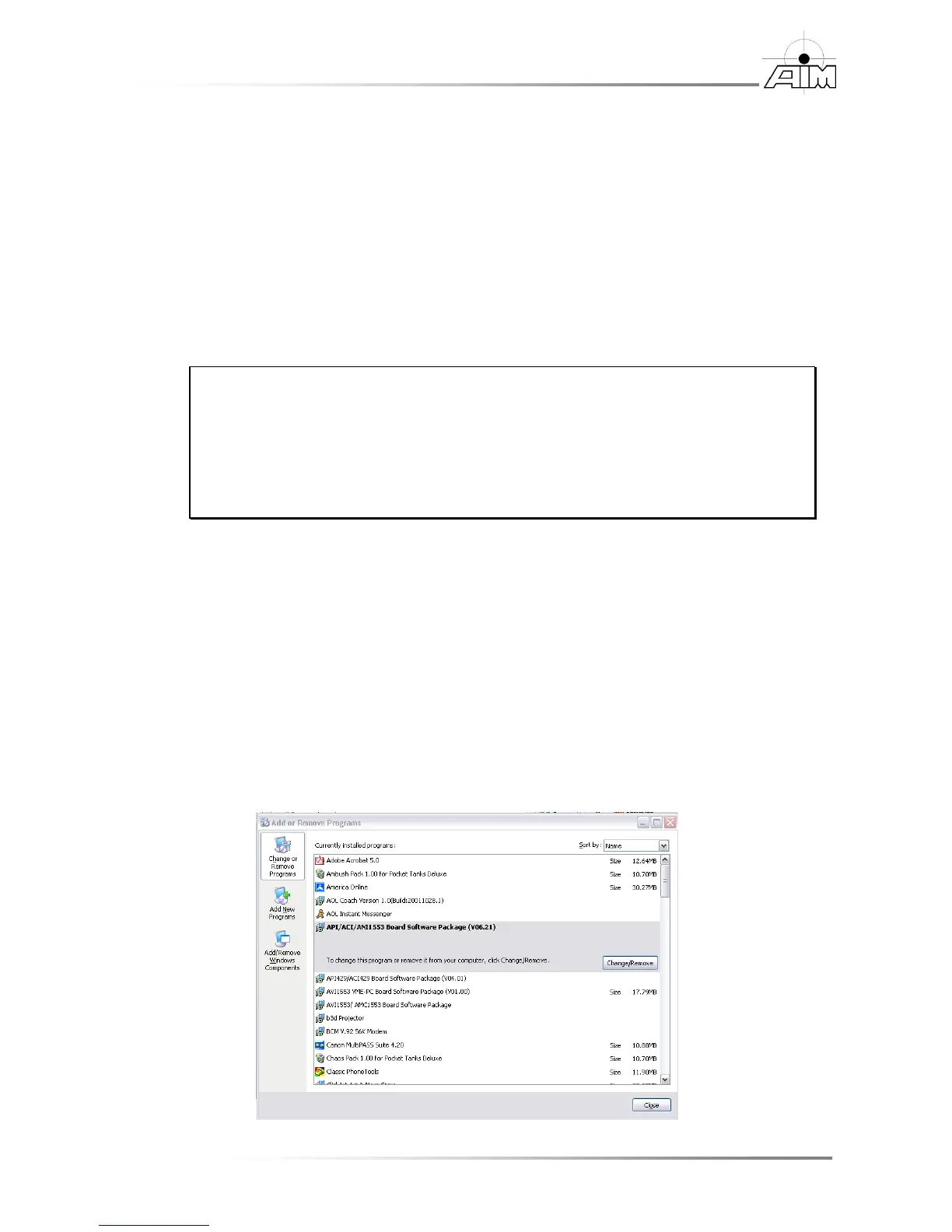
6. Now, remove the BSP by going to Start | Settings | Control Panel |
Add/Remove Programs. In the Add/Remove Programs window, select the
PCI 1553 Board Software Package (Vxxxx) entry, then select the
Change/Remove button. Step through the uninstall wizard to complete the
removal.


 To Next Page