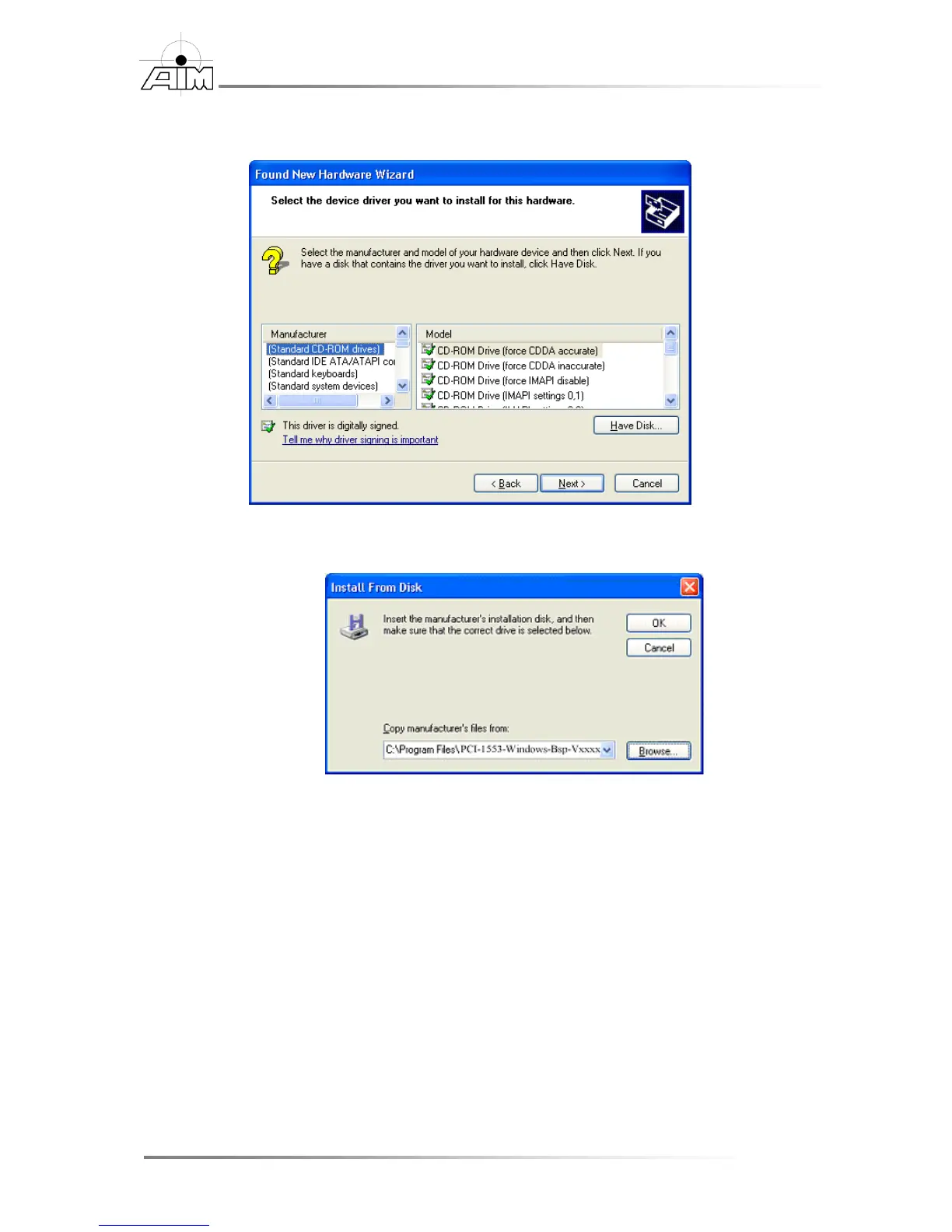
4. Select the Have Disk button.
5. Select Browse and navigate to:
For 32 Bit PCI devices:
c:\Program Files\AIM GmbH\PCI-1553-Windows-BSP-
Vxxxx\SysDrv32\PCI
For 32 Bit USB devices:
c:\Program Files\AIM GmbH\PCI-1553-Windows-BSP-
Vxxxx\SysDrv32\USB
For 64 Bit PCI devices:
c:\Program Files\AIM GmbH\PCI-1553-Windows-BSP-
Vxxxx\SysDrv64\PCI
For 64 Bit USB devices:
c:\Program Files\AIM GmbH\PCI-1553-Windows-BSP-
Vxxxx\SysDrv64\USB


 To Next Page