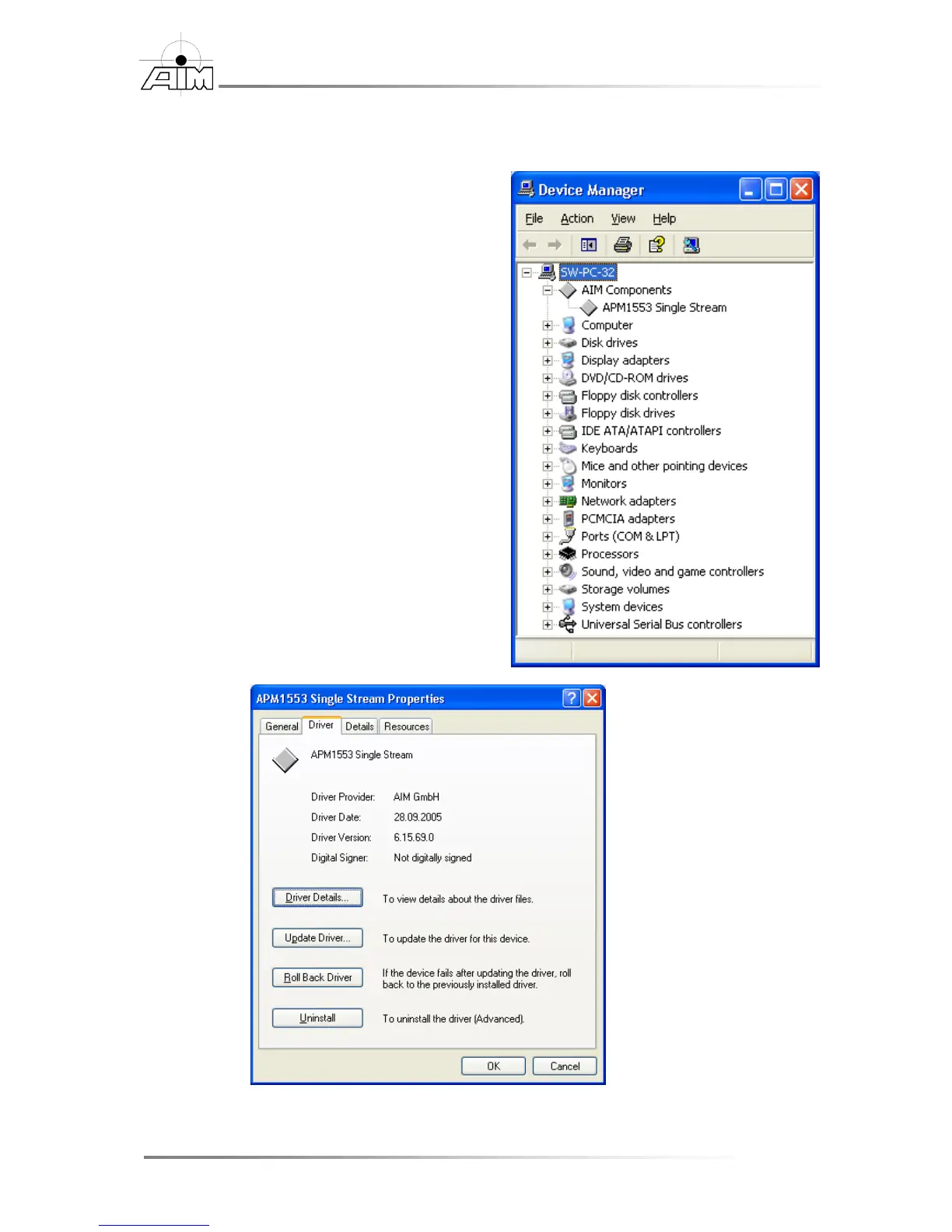
To verify proper installation of the Windows system driver
1. Go to Start | Control Panel and
select System, then click on the
Hardware tab and select the
Device Manager… button.
(For Windows XP users it may be
necessary to first select Start |
Control Panel | Switch to Classic
View in order to find the System
icon)
2. In the Device Manager window,
expand the AIM Components
entry by clicking on it
3. Next, right click on the
AIM board entry and select
Properties.
4. In the Properties window, select
the Driver tab…


 To Next Page