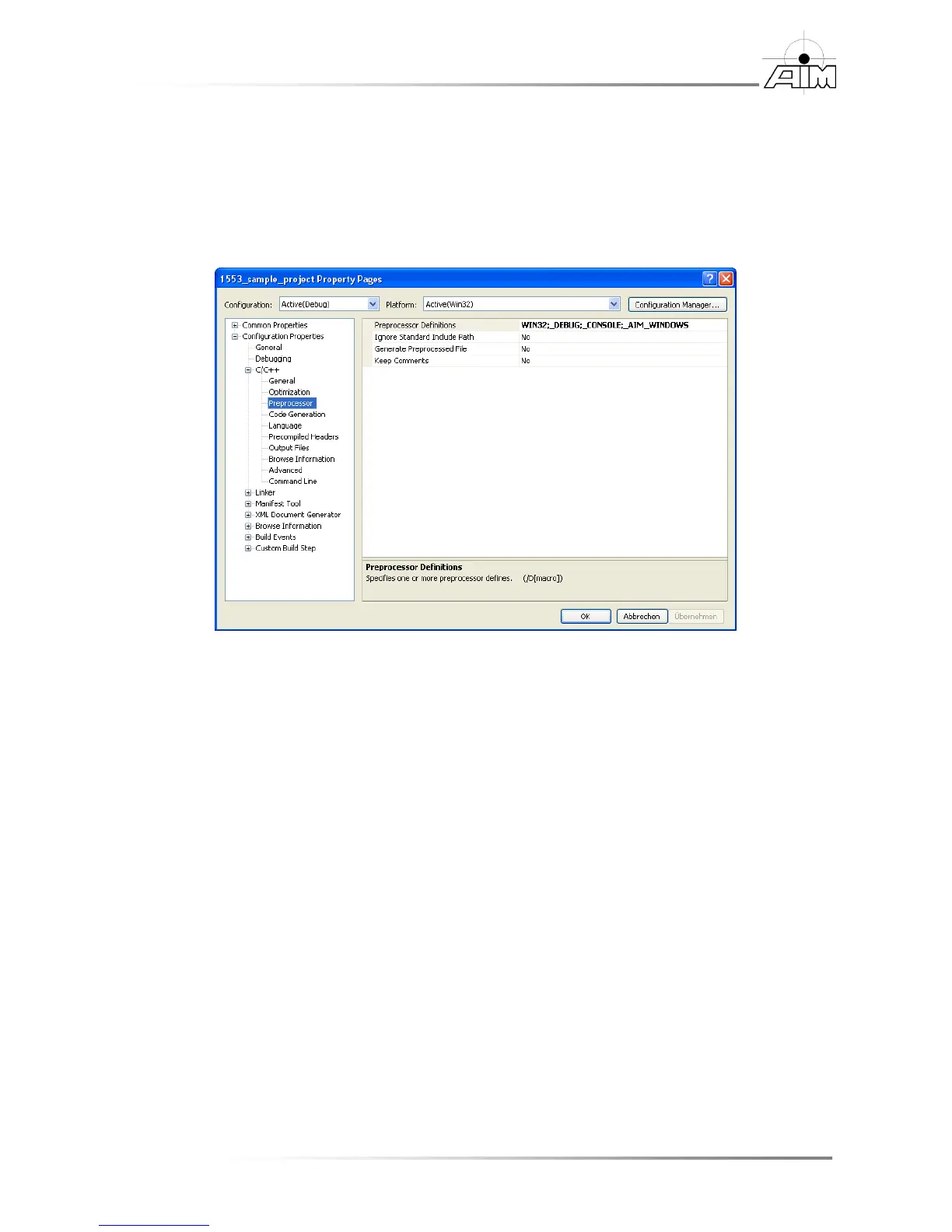
To add the proper preprocessor definition
1. Right click the project and select Properties
2. Select the C++ / Preprocessor
3. Under Preprocessor Definitions, if not already included, enter
_AIM_WINDOWS then select OK.
To add the proper library
1. Right click the project and select Properties
2. Select the Linker / Input
3. Under Additional dependencies, if not already included, enter api_mil.lib
To add the proper library path
1. Right click the project and select Properties
2. Select the Linker / General
3. Under Additional library directories, if not already included, enter ..\lib32 for
32 bit applications and ..\lib64 for 64 bit applications.


 To Next Page