3.6.1 Take a snapshot of a live video
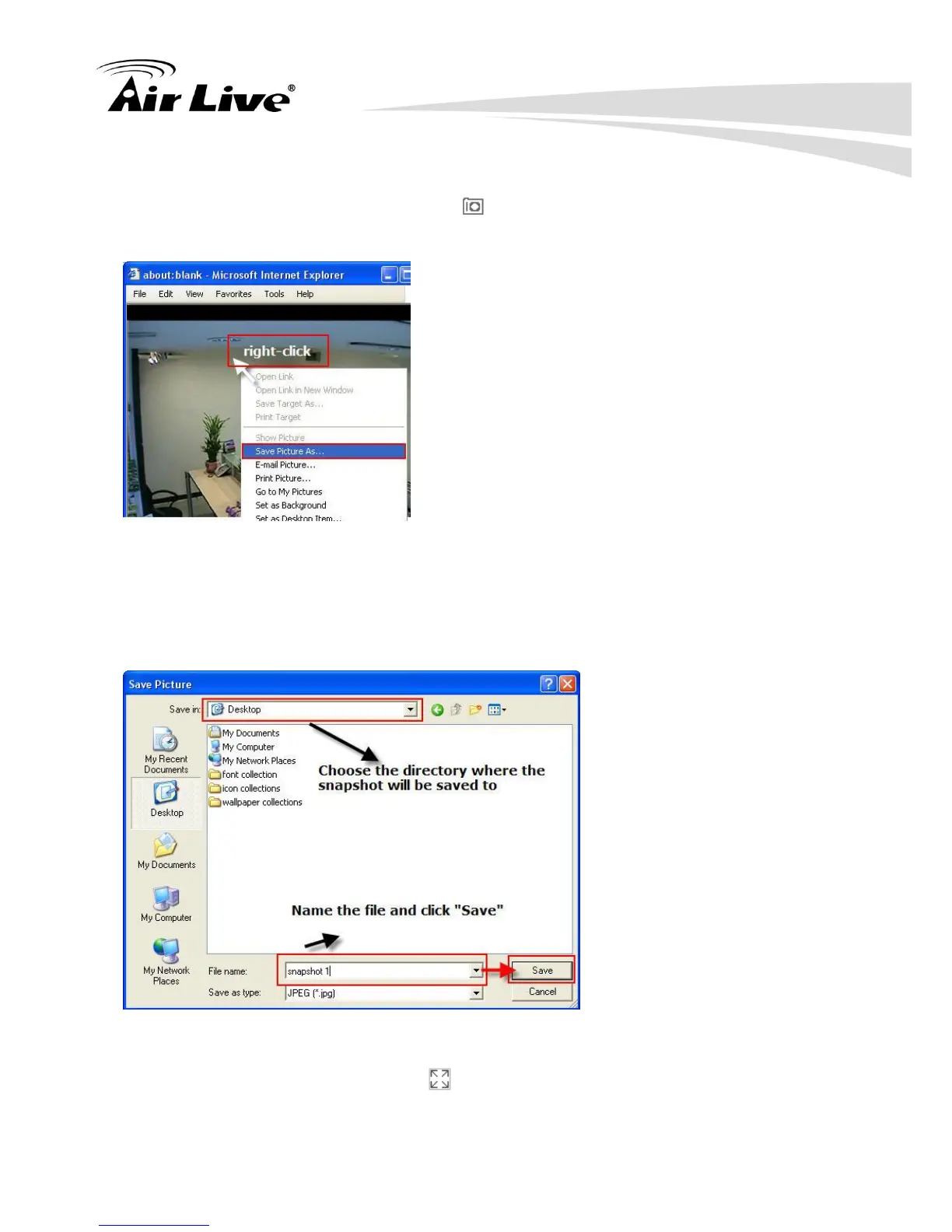
To take a snapshot of a live video, click the button and the snapshot of the video will be
displayed in a pop up window shown like below
For saving the image, please right click on the image and select “Save Image as” from the
pop-up menu.
In the pop up dialog, name the image file and choose which directory the image will be
saved to and click “Save”
3.6.2 Full Screen View of a Live Video
To view a video in full screen, click the button. To exit full screen video, double-click on
the video.



 To Next Page