3.6.3 Turn On/Off Audio of a Live Video
You can retrieve audio from a particular camera. Simply click the button.
The button will show in different color once the audio is turned on ( ). Click on it again to
turn off audio.
3.6.4 Start/Stop Recording of a Live Video
You can manually start or stop recording of a live video by using the button.
The button will show in red once the recording is started manually ( ). Click on it again to
stop recording.
3.6.5 Audio post
This function allows user to speak from a PC through a micro-phone and the audio can be
played at the camera side if it has a speaker connected to it.
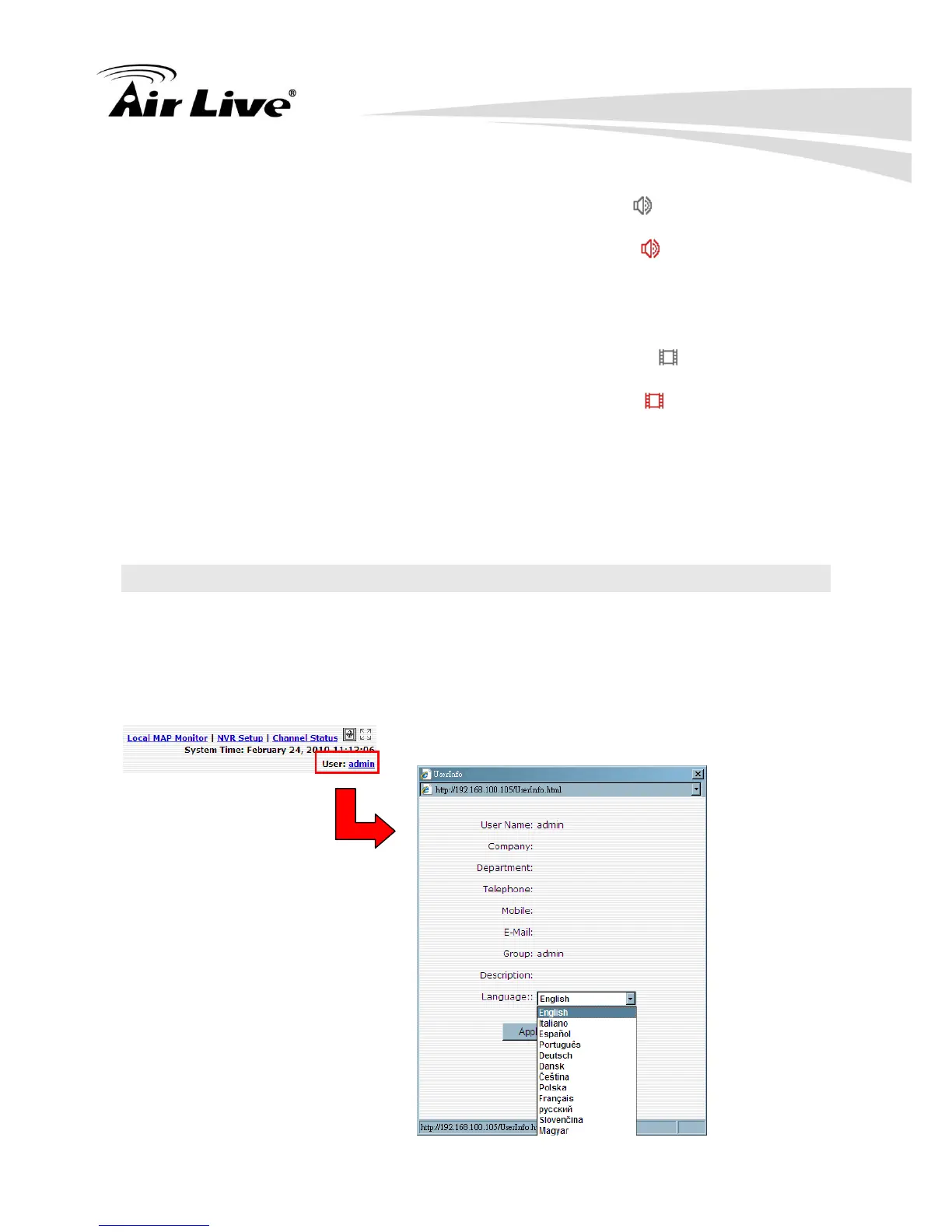
3.7 Change Web UI Display Language
You can change the web UI display language from the current login username link located
at the upper-right hand corner. Click on the link opens up a new window which displays
detail information about the user as well as a drop-down menu which lets you change the
display language.



 To Next Page