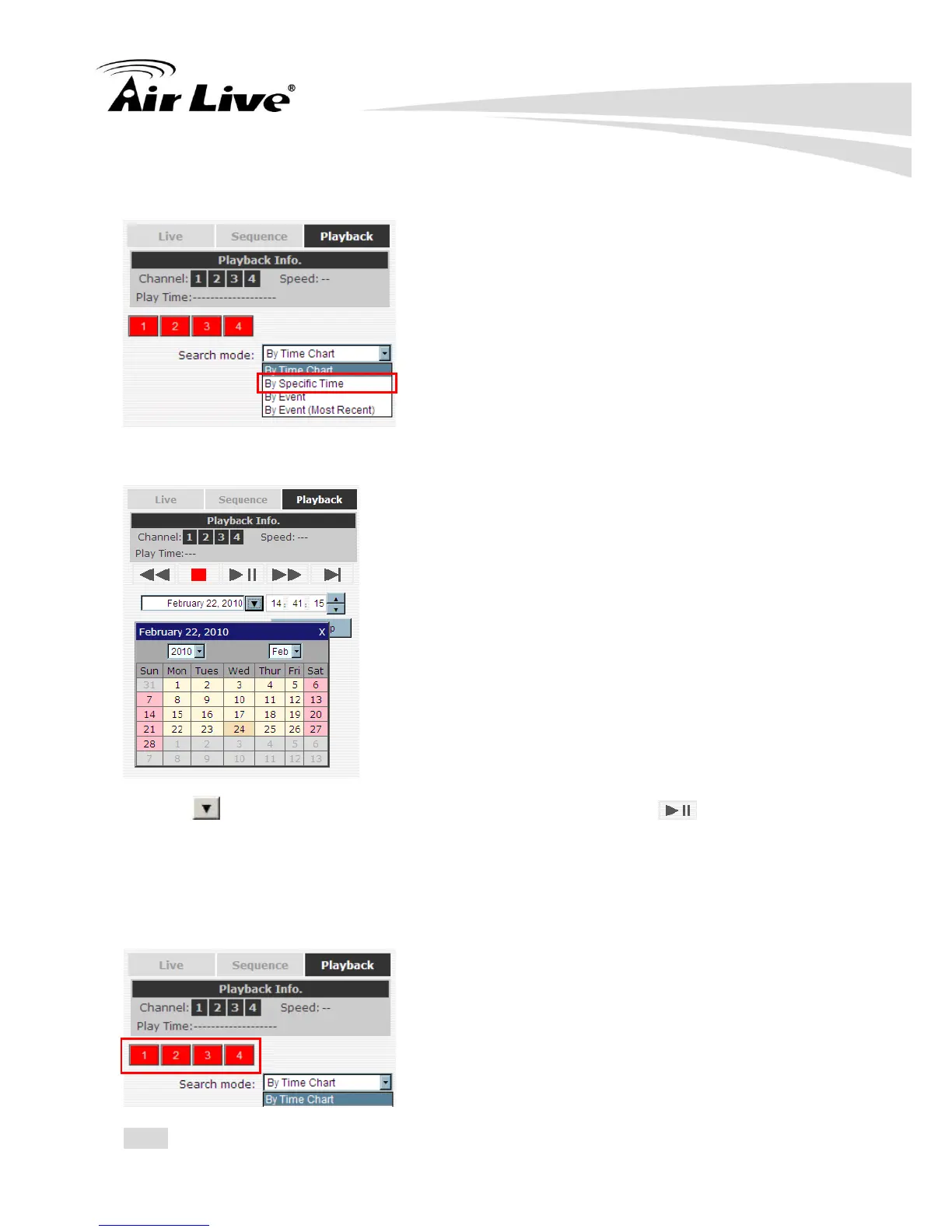
from a specific time, you may choose the “By Specific Time” from the “Search Method”
drop-down list.
Then you will be prompted to enter a specific time and date for the recorded video.
Use the button to select month, date, and year. Then press the button to start
the playback.
4.1.3 Search by event
Start by selecting which channel(s) you would like to perform a search on:
Note: Selected channels will be marked in red.



 To Next Page