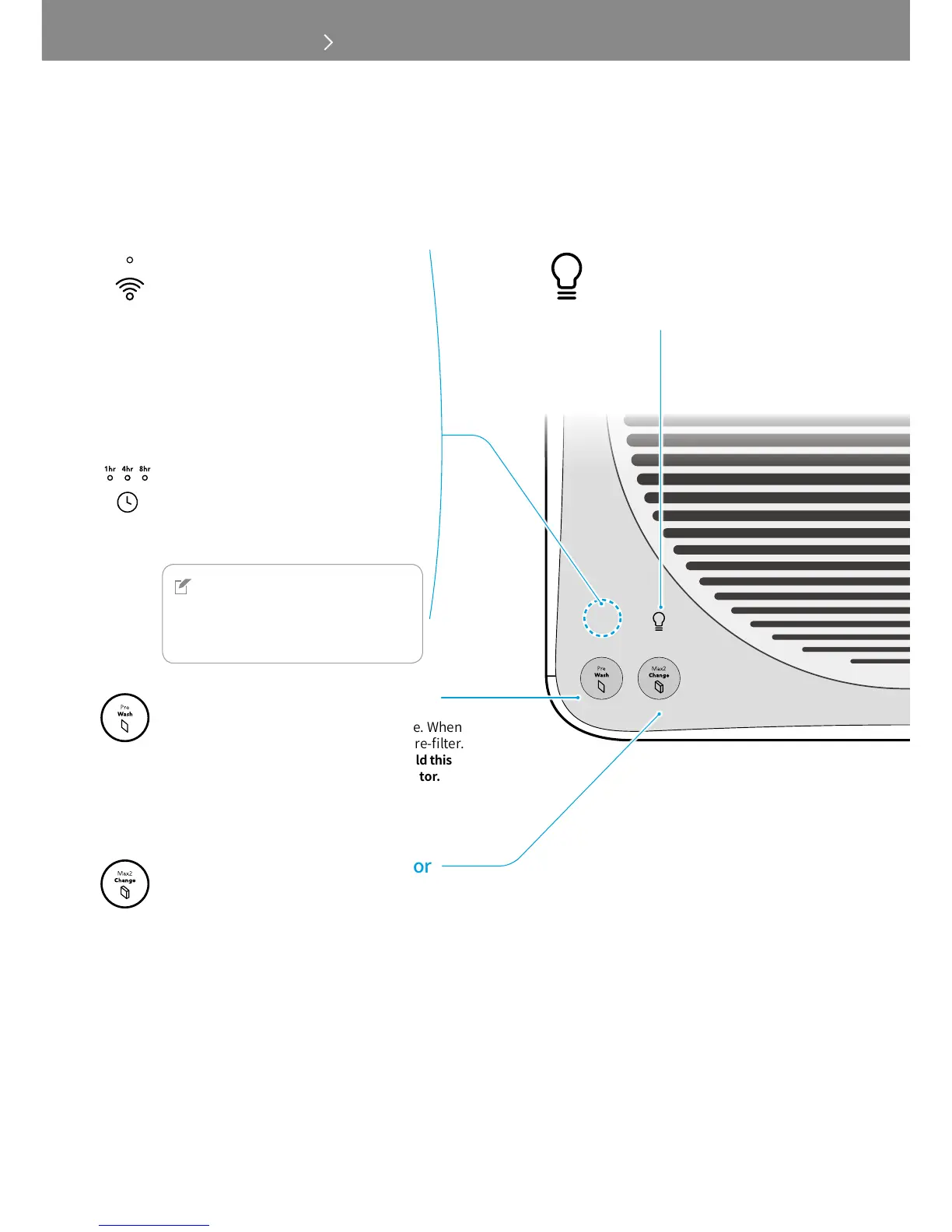
Touch this button to turn the air
quality indicator and light on or off.
300S
Touch this button to connect to a Wi-Fi
network. When the Wi-Fi connection is
completed, the indicator is turned on.
* The status of Wi-Fi LED :
- Blinking : Not connected yet or in the
pairing process
- Constant LED: Wi-Fi connected
- LED off: Wi-Fi off
300
Touch this button to automatically turn
off after an hour, 4 hours, or 8 hours.
NOTE
For 300S users, you can set the timer
and scheduler using Airmega mobile
application.
Shows the time of pre-filter cleaning cycle. When
the letters on the button is lit, clean the pre-filter.
*Aftercleaningthepre-filters,touchandholdthis
buttonfor2~3secondstoresettheindicator.
Shows the time of Max2 filter life. When the letters
on the button is lit, replace the Max2 filters.
*AfterreplacingtheMax2filters,touchandhold
thisbuttonfor2~3secondstoresettheindicator.



 To Next Page