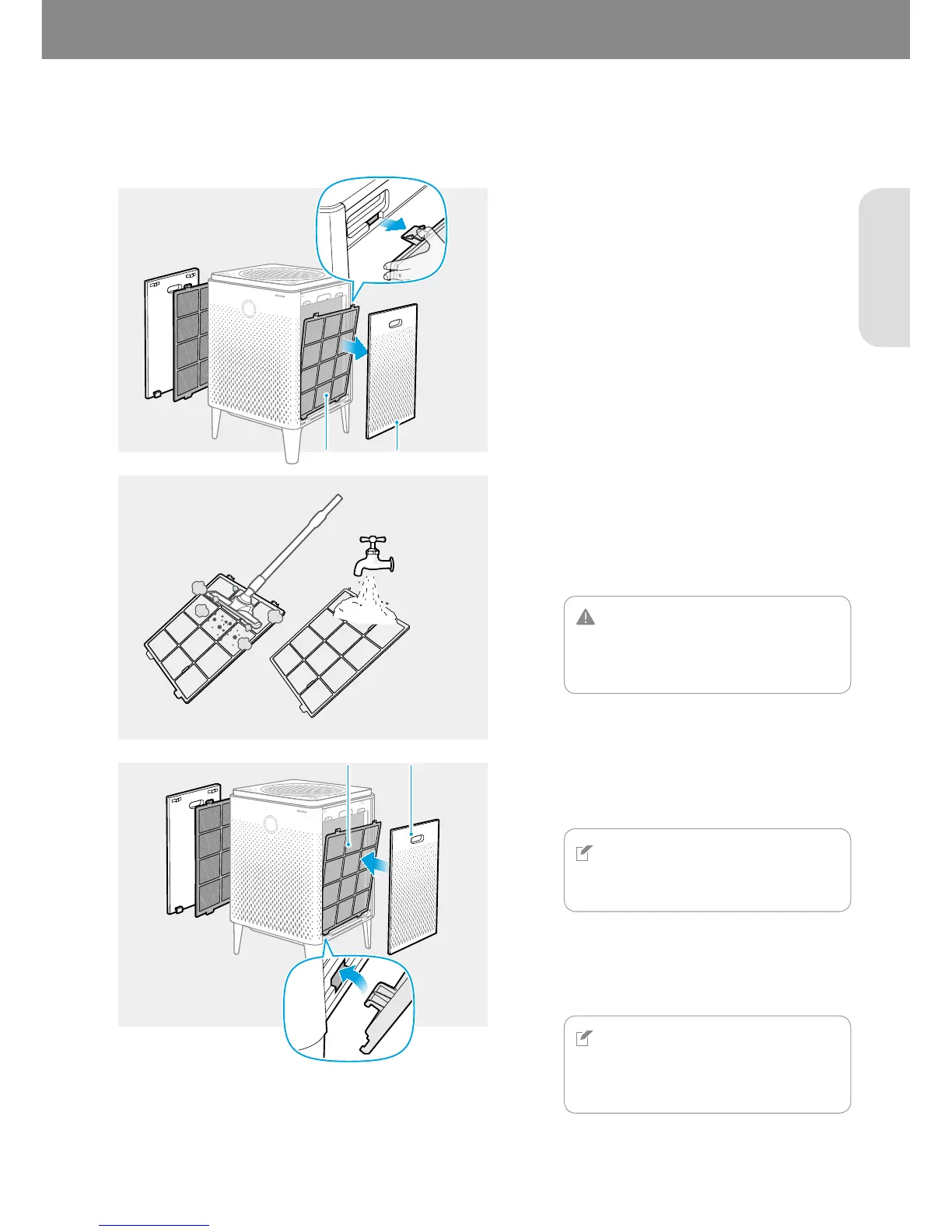
When the [Pre Wash] indicator is on, clean your pre-filters on both sides. Follow these instructions below to clean the
filters.
1
Press two tabs at the top of the pre-filters
and pull them outward to remove them from
the product.
2
If vacuuming does not seem to sufficiently
clean the pre-filters, gently wash them under
the water.
CAUTION
If you use water to clean the pre-filter, dry
the pre-filter in the shade before
re-installing it.
3
NOTE
The product will not turn on if the right
and left covers are installed incorrectly.
4
NOTE
After cleaning the pre-filters, you must
reset the filter’s cleaning cycle using the
[Pre Wash] button.
Pre-filter Cover
Pre-filter Cover



 To Next Page