EasyManua.ls Logo

Airmega 400 - Cover Cleaning and Reinstallation

Default Icon
36 pages
Print Icon
To Next Page IconTo Next Page
To Previous Page IconTo Previous Page
Loading...

EN
  

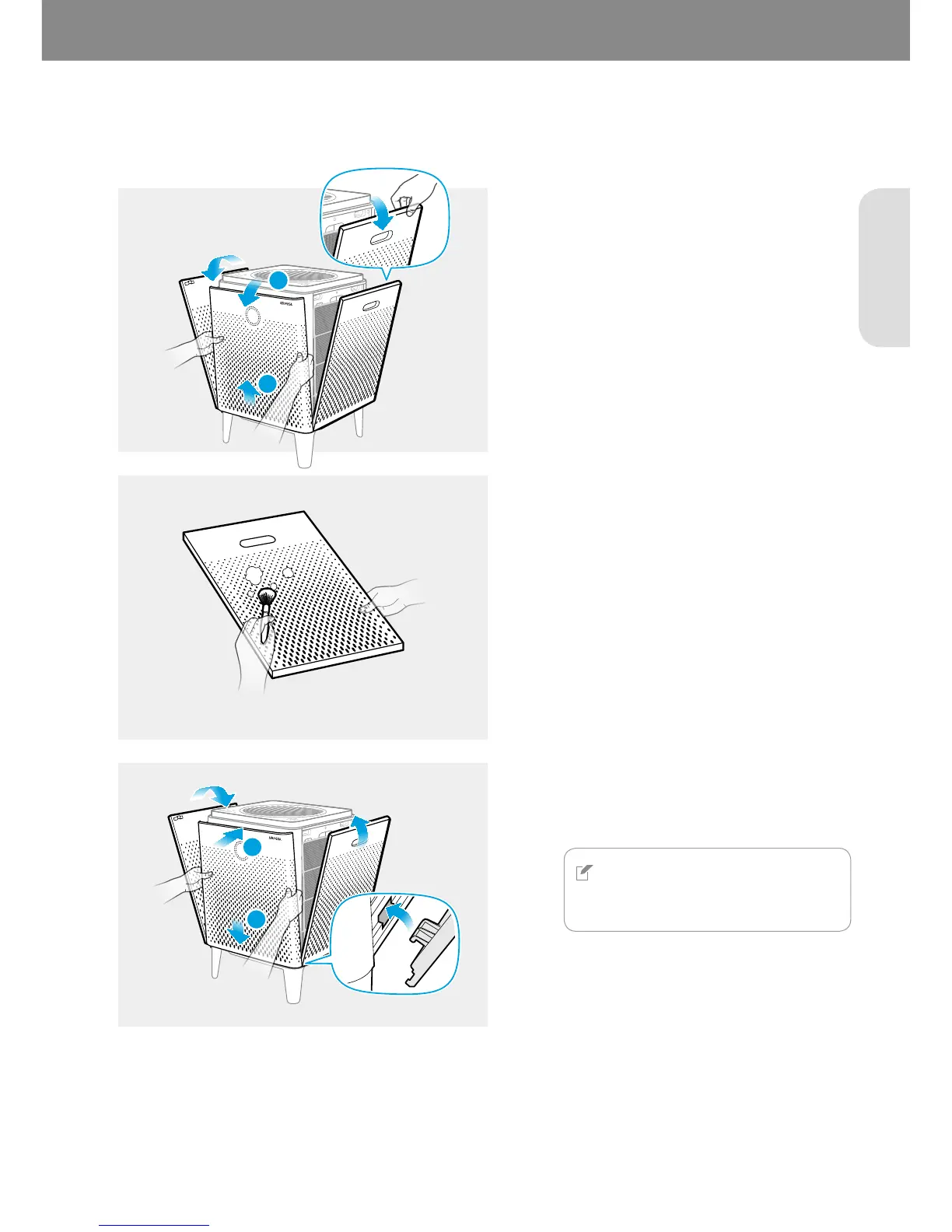
Clean the front, right, and left covers frequently for optimum performance. Follow these instructions below to clean
the covers.
1


Lift and pull the upper part of front cover to
remove it.
Pull the upper part of the right and left
covers to remove them.
2


2
1
3



NOTE
The product will not turn on if the right
and left covers are installed incorrectly.
1
2

Related product manuals