Revision 12.2
Jan. 2016
27 / 61
3.4.12 Menu lock
For school operation the menus area TXm to MIC-setup can be locked.
To lock or unlock the button combination AUD & FREQ has to be pressed
simultaneously for > 2 seconds.
In lock condition there will be displayed a “L” at the right end of the third
line.
To store those condition the setting of SQnn should be changed before
turning off.
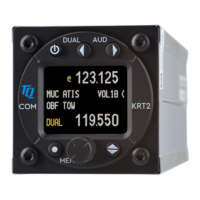
3.5 DUAL Watch
Because the communication transceiver KRT2 contains only one receiver,
DUAL watch is achieved by alternating between the Active and Standby
frequencies.
The DUAL button activates and deactivates the dual watch function.
Deactivation also can take place by pressing either the FREQ or MEMORY
buttons.
The frequencies to be watched should be selected prior to the DUAL watch
selection.
Scanning of frequencies is only possible when differentiating between
radio noise and radio transmissions. This can be achieved with the squelch
system set to a value of 02 or higher.
There must be radio noise suppression in order to recognize
reception. SQ must be 02 or higher.
VOL SQ VOX
TXm INT EXT DIM CON SIT MIC
Available
Locked and not available


 To Next Page