Revision 12.2
Jan. 2016
32 / 61
3.7 Resetting to factory settings
Returning to the factory settings can only be initiated during power-up.
To do this, during power-up the MEMORY and DUAL buttons must be
pressed simultaneously and the display will show “SET DEFAULTS”.
When the buttons are released the resetting to the factory settings takes
place. When resetting is completed “DONE” is displayed.
Resetting to the factory settings will not change any data in the favourite
list memory.
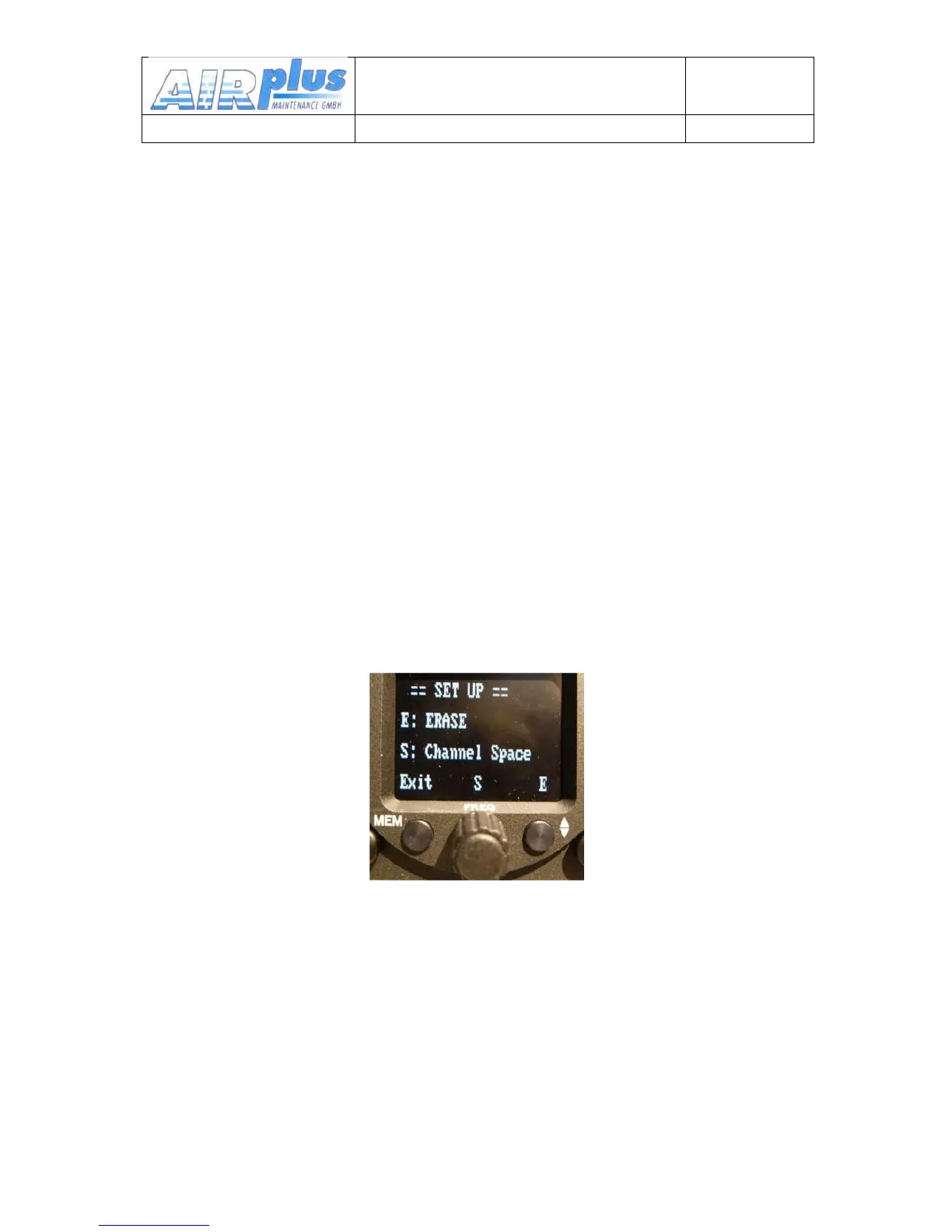
3.8 SET UP - Menu
During power-up the MEMORY buttons must be pressed.
It appears "protect mode", just wait until it changes.
There are two functions within the Set-up menu:
•
ERASE – Erasing of the favorites (frequency and identifier)
•
Channel Spacing – 25kHz / 8,33kHz
Programming of the Set-up is done with the lower 3 buttons next to the
symbols (Exit, S, E). Their function is described on the display.
To exit the SET-UP menu, use the MEM button. The unit remains powered
and the normal operating mode is resumed.


 To Next Page