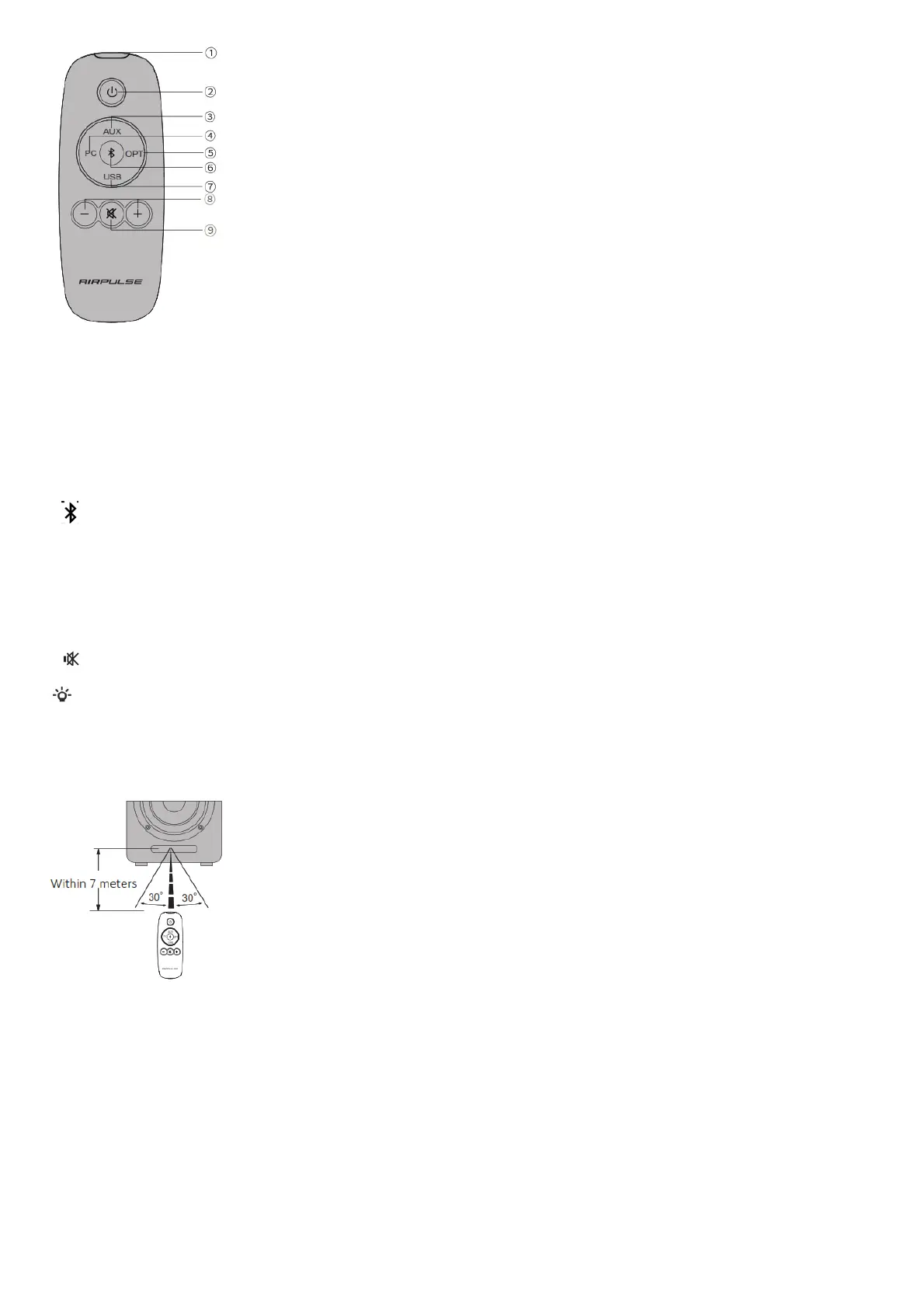
Input source selection buttons
3 AUX AUX input mode
4 PC PC input mode
5 OPT Optical input mode
6 (Bluetooth)
Bluetooth input mode
7 USB USB input mode
Volume control buttons
8 +/- Volume up/down Adjust playing volume
9 Mute
Mute off speaker output
* When playing music in Bluetooth mode and switching to other modes, Bluetooth connection will automatically return if selecting Bluetooth mode again.
* When playing music in USB mode and switching to other modes, PC needs to be reset for USB mode to be selected again.
Please refer to “Set this product as the audio output device of PC”.
How to operate remote control
Aim remote control at the remote control receiving window The optimum operational distance is within 7 meters. When the system receives remote control
commands, display value of display window will alert or flash.
Installing Battery in Remote Control



 To Next Page