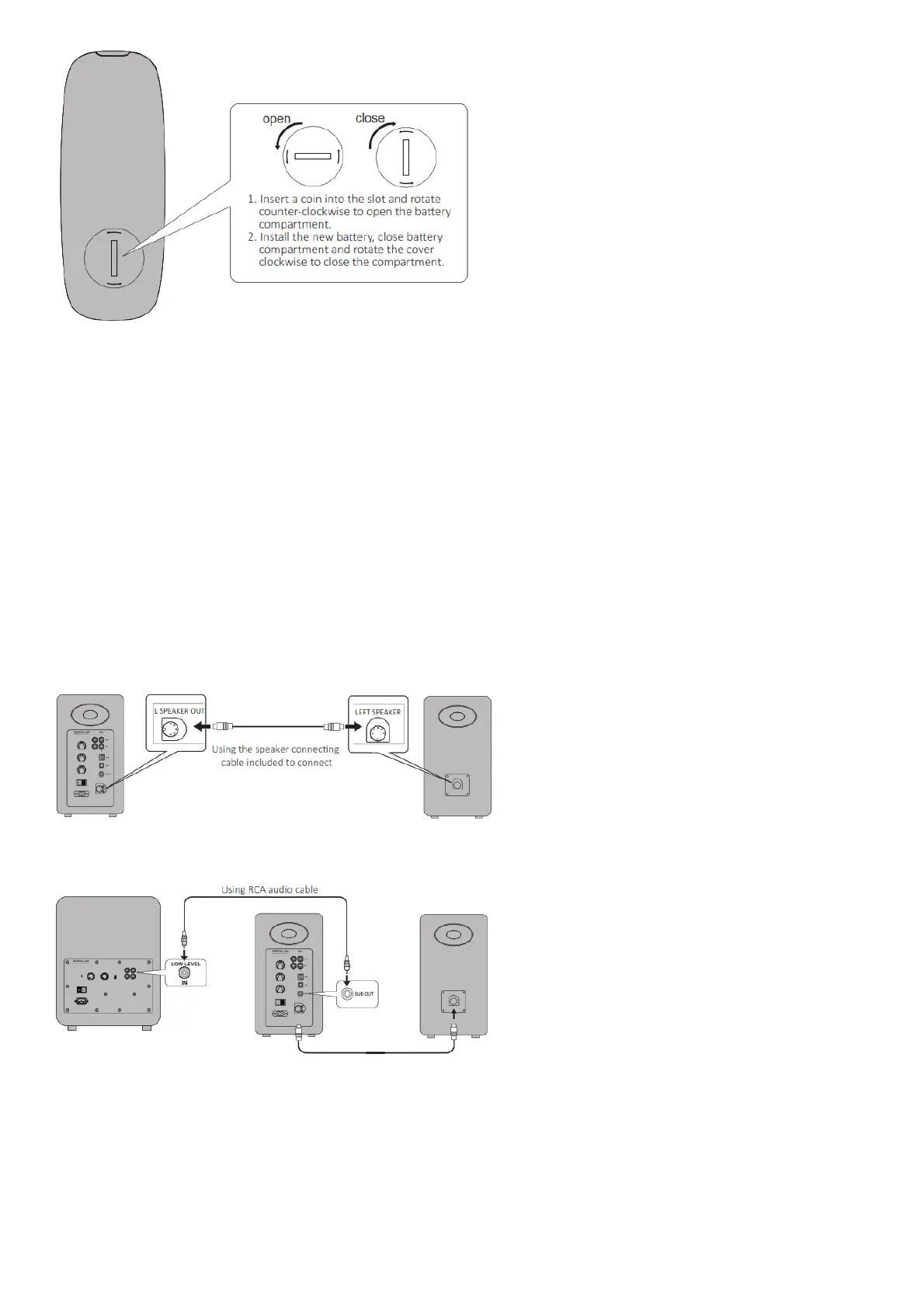
Note
1. The battery life is normally about 6 months; please replace it when the remote control is not sensitive or the control distance to be shortened.
2. Remove the battery immediately when exhausted to avoid explosion or acid leaks.
3. Discard the battery immediately in the event of battery leakage, paying attention not to touch the leaking materials.
If leaking is in contact with skin or gets in eyes/mouth, rinse immediately and seek emergency treatment immediately. Please clean the battery compartment
thoroughly prior to installing new battery.
4. Never use the remote control in conditions below:
– Places with high humidity, e.g. a bathroom
– Places with high temperature, e.g. near a heater or stove
– Places with extremely low temperature
– In dusty places
5. Remove the battery when unused for a long period of time to avoid battery leakage.
6. Do not use this product when battery compartment is not securely closed, and keep the remote control away from children.
7. There is a cell battery inside this product, if swallowed it will cause serious bodily injury; possibly death in 2 hours. Never let children touch the battery.
8. If the battery is accidentally swallowed, rush to hospital immediately.
9. Danger of explosion if battery is incorrectly replaced. Replace only with the same or equivalent
10. The battery should not be exposed to excessive heat such as direct sun, fire or similar.
Preparations
1.Connect speakers
2. Connect to subwoofer (cable not included)
Connecting the A80 to subwoofer will improve low frequency effect from the system
3.Connect to playback devices



 To Next Page