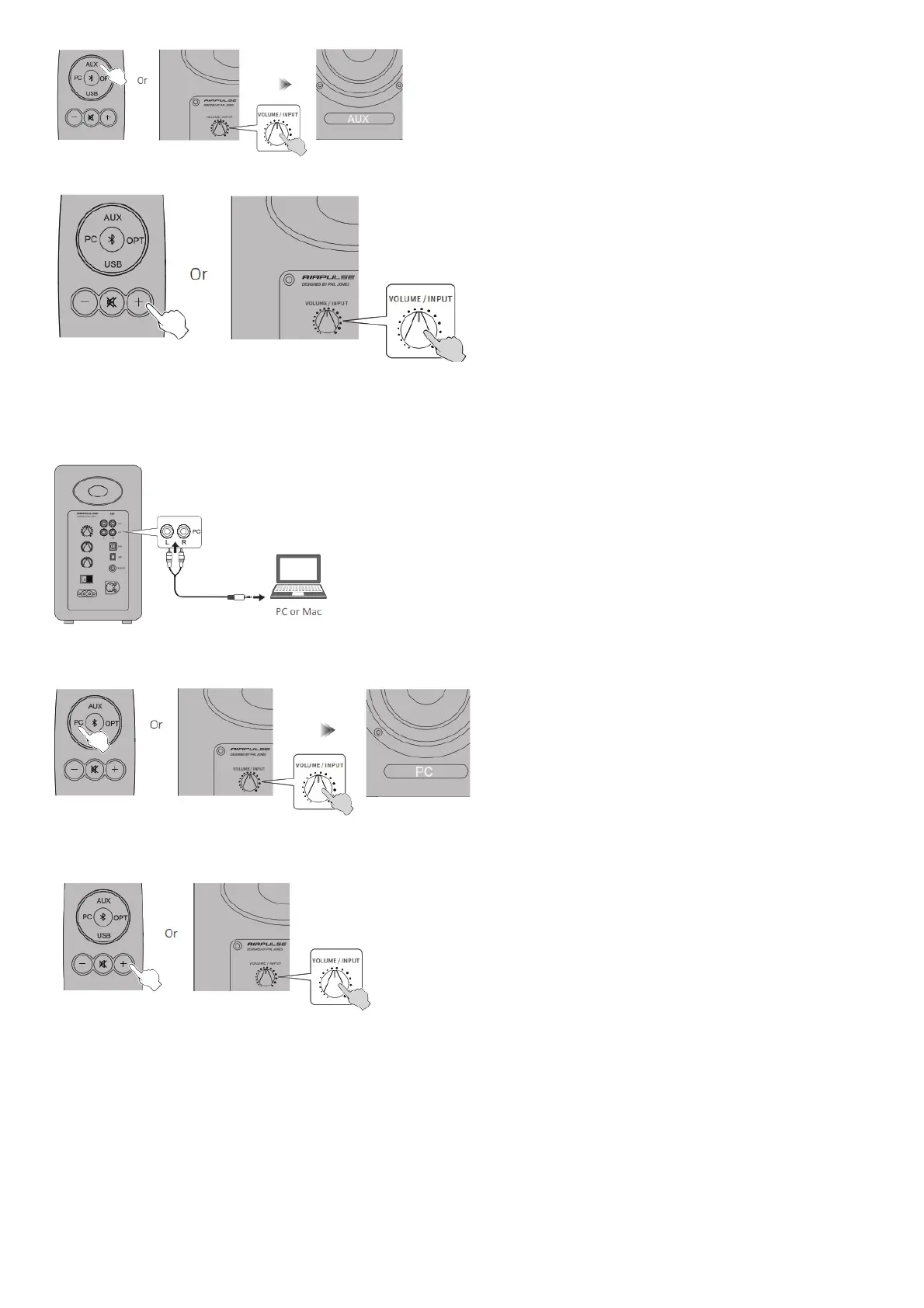
3. Play music on the connected device, press the “+/-” button on the remote control or
press the “VOLUME / INPUT” button on the rear panel of the active speaker to adjust volume to a desired level.
PC Input Mode
1. Insert RCA audio cable into PC input port on the rear panel of the active speaker (pay attention to L/R port matching); then connect RCA audio cable to
audio source devices with 3.5mm audio output jack or RCA output port (PC/music player/mobile phone).
2. Press the “PC” button on the remote control or press the “VOLUME / INPUT” button on the rear panel of the active speaker to select PC input mode, LED
indicator on the active speaker will display “PC”.
3. Play music on the connected device, press the “+/-” button on the remote control or press the “VOLUME / INPUT” button on the rear panel of the active
speaker to adjust volume to a desired level.
USB Input Mode
USB interface chip in the A80 is a XMOS chip commonly used by high-end audio equipments. After being connected to PC, USB interface will directly
extract and play back digital audio signal in a manner similar to the “USB external sound card”, to avoid sound degradation and dynamic range compression
caused by digital-to-analog conversion of PC sound card, and to ensure the restoration of original sound quality.



 To Next Page