17
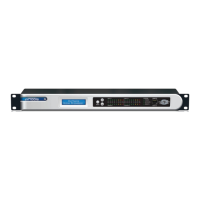
6200 Digital Broadcast Delay
EnablingNetworkTimePolling
Entering the Time Server IP Address and
Enabling Network Time Polling
1. Press the HOME button to ensure that we are starting from the top.
2. Press the NEXT button once.
3. Turn the ADJUST knob clockwise until the display reads “Section to Edit, -
Setup Menu -”.
4. Press the NEXT button once.
5. Turn the ADJUST knob clockwise until the display reads “- Setup Menu -,
-- Date and Time --”.
6. Press the NEXT button nine times and the display should read “Time Server
IP, 000.000.000.000”.
8. Turn the ADJUST knob clockwise until the display reads until the first three
digits of the IP address match the first three digits of the IP address for your
chosen time server.
9. Press the NEXT button once and repeat step 8 to enter the next three digits of
the address.
10. Repeat steps 8 and 9 two more times to complete the address.
11. Press the NEXT button once and the display should read “Network Time Poll-
ing, Disabled”.
12. Turn the ADJUST knob clockwise once to enable Network Time Polling.
13. Press the HOME button when finished.
NOTE: When “NETWORK TIME POLLING” is enabled on the 6200 and
a successful synchronization with a time server has occurred, an “N”
character will appear in the upper right side of the “In LVL” and “Out
LVL” menus accessed by pressing the HOME button once then turning the
ADJUST knob clockwise once (for “In LVL”) or twice (for “Out LVL”).
Don’t forget to configure the unit’s IP settings under
Ethernet Connection in the following section!


 To Next Page