EasyManua.ls Logo

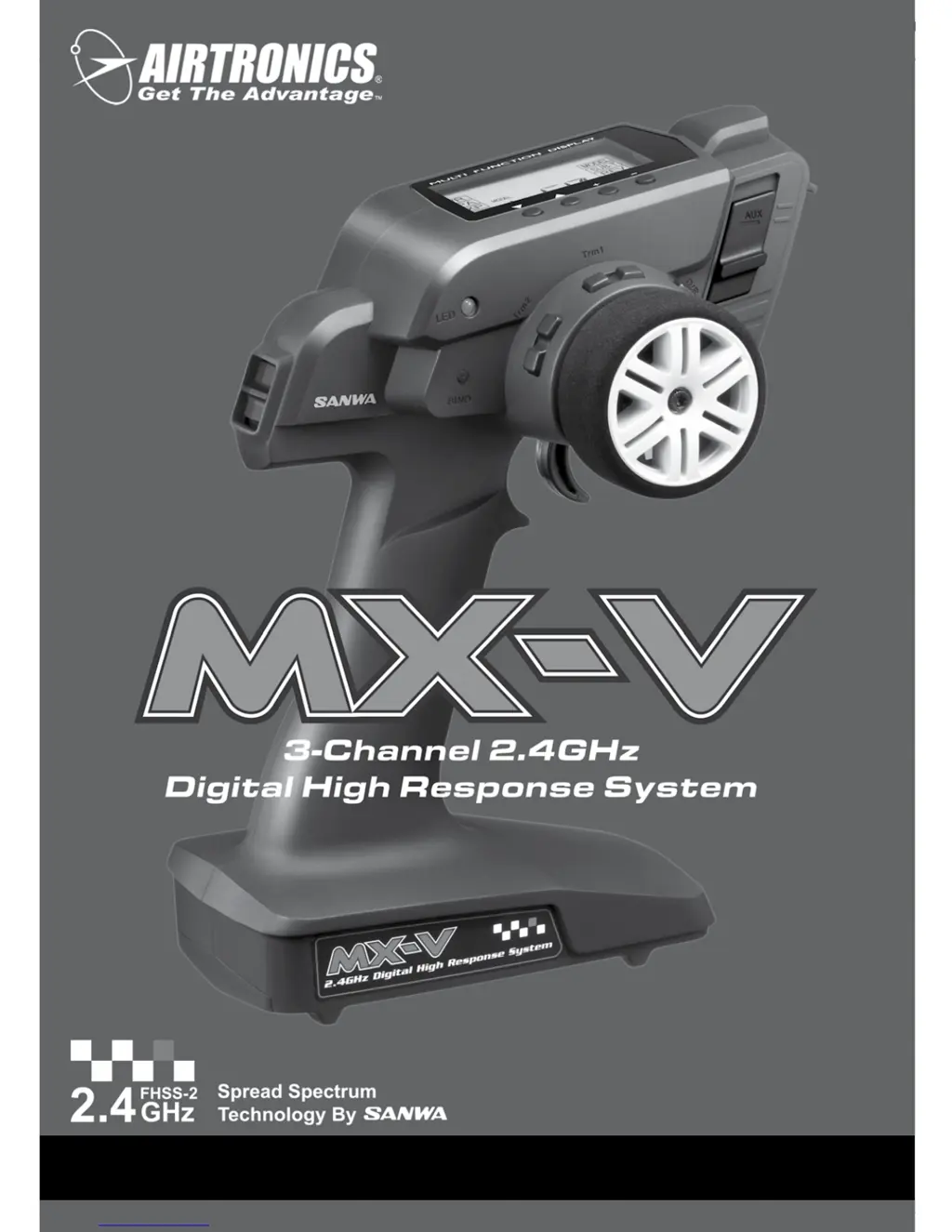
AIRTRONICS MX-V - User Manual

AIRTRONICS MX-V
24 pages
Print Icon
To Next Page IconTo Next Page
Loading...
1
MX
-
V 3
-
CHANNEL 2.4GHZ RADIO SYSTEM USER'S GUIDE
TR
User's Guide

Questions and Answers

  • A
    austinmcconnellAug 16, 2025
    What to do if AIRTRONICS MX-V Remote Control transmitter will not bind to receiver?
    • W
      wnolanAug 16, 2025
      If your AIRTRONICS Remote Control transmitter won't bind to the receiver, it might be due to several reasons. First, the Modulation Type might be incorrect, so change it to match the receiver. Second, too much time might have elapsed after pressing the receiver Bind Button, so quickly press the transmitter Bind Button after releasing the receiver Bind Button. Third, you might be attempting to bind an incompatible receiver, so use only Airtronics 2.4GHz FHSS-2 surface receivers. Lastly, if you're using an electronic speed control, disconnect it and use a dry cell battery for the binding procedure, then reconnect the ESC after binding.
  • T
    Tammy SmithAug 19, 2025
    Why won't my AIRTRONICS MX-V transmitter turn on?
    • D
      Daniel PerryAug 19, 2025
      Your AIRTRONICS Remote Control transmitter might not be turning on due to several reasons: the batteries may not be installed correctly, so try reinstalling them while observing the correct polarity. Alternatively, the batteries might be dead, in which case you should replace them.
  • J
    johnpittmanAug 22, 2025
    How to improve transmitting range of AIRTRONICS Remote Control?
    • M
      michelejohnsonAug 22, 2025
      To improve the transmitting range of your AIRTRONICS Remote Control, consider the following: ensure that the transmitter batteries aren't low by replacing them. Also, check the receiver battery voltage and replace or recharge the batteries if they are low. Finally, make sure the receiver antenna is mounted correctly in your model as recommended.
  • J
    Jared WhiteAug 25, 2025
    Why does my AIRTRONICS MX-V Remote Control beep continuously?
    • M
      matthew06Aug 26, 2025
      If your AIRTRONICS Remote Control is beeping continuously, it's likely due to low transmitter battery voltage. Try replacing the transmitter batteries.
  • S
    Suzanne MackAug 27, 2025
    What to do if AIRTRONICS MX-V Remote Control receiver won't power on?
    • S
      Sandra MoralesAug 27, 2025
      If your AIRTRONICS Remote Control receiver won't power on, there are a few things you can check: * Make sure the batteries are installed correctly, observing the correct polarity. * The batteries might be dead, so replace or recharge them. * Check for a loose switch connection by double-checking all connections including the switch.
  • B
    Barry LopezAug 30, 2025
    Why is servo movement slow on my AIRTRONICS MX-V Remote Control?
    • J
      Jennifer LeonardAug 30, 2025
      Slow servo movement on your AIRTRONICS Remote Control can be caused by a couple of things. First, check for low receiver battery voltage and replace or recharge the receiver batteries if needed. Second, control linkages might be binding, so adjust them to operate smoothly.
  • A
    Adam MurilloSep 2, 2025
    How to reverse servo direction on AIRTRONICS Remote Control?
    • S
      Stacy MurraySep 2, 2025
      If the servo(s) on your AIRTRONICS Remote Control are moving in the wrong direction, it's likely due to an incorrect Servo Reversing setting. Change the Servo Reversing setting to correct this.
  • T
    travis77Sep 5, 2025
    How to center servo horn on AIRTRONICS Remote Control?
    • M
      Maurice DuncanSep 5, 2025
      If the servo horn(s) are not centered on your AIRTRONICS Remote Control, it could be due to a couple of reasons: * The servo horn might not be installed correctly, so turn it 180ยบ and reinstall it. * Alternatively, the Servo Sub-Trim might be out of adjustment, so adjust it to center the servo horn.
  • B
    Bobby BakerSep 7, 2025
    What to do if servo doesn't move when using trim switch on AIRTRONICS MX-V Remote Control?
    • K
      kiddtinaSep 7, 2025
      If the servo doesn't move when using the Trim Switch on your AIRTRONICS Remote Control, it's likely because the trim is outside of the operational range. Reset the trim to zero and center the servo horn and control linkages.
  • K
    Keith MooreSep 12, 2025
    How to fix binding control linkages on AIRTRONICS Remote Control?
    • M
      Mrs. Monica RomanSep 12, 2025
      If the control linkage(s) are binding on your AIRTRONICS Remote Control, it's likely because there's too much servo travel. Decrease servo travel using the EPA function.

Summary

Support, Safety, and Compliance

General Safety Guidelines

Emphasizes reading the guide, safety first, following field rules, and stopping operation if erratic behavior occurs.

Low Voltage Alarm Warning

Alerts users to the Low Voltage Alarm at 4.6 volts and the need to stop operation and replace batteries.

Frequency Band and Device Precautions

Transmitter Precautions

Covers power sequence, battery checks, antenna usage, orientation, environmental limits, and cleaning.

Receiver Precautions

Stresses careful handling of the antenna wire, receiver protection from vibration/moisture, and chassis contact avoidance.

Diagram Descriptions and Battery Installation

Programming and Binding Procedures

Transmitter and Receiver Binding Process

Details the procedure for binding the transmitter and receiver to prevent interference, including pre-binding steps and troubleshooting.

Steering Adjustments

End Point Adjustment (EPA) Overview

Explains EPA allows adjusting servo travel in each direction for balancing and setting maximum travel.

Steering and Throttle Endpoint Adjustments

Adjusting Steering End Points

Guides on adjusting Steering Left and Right EPA values to balance turning radius and correct steering response.

Adjusting Throttle End Points

Explains adjusting Throttle Forward and Brake EPA for carburetor opening or ESC power/brake engagement.

Auxiliary and Exponential Adjustments

Adjusting Steering Exponential

Guides on adjusting steering exponential from Mild to Quick for optimal response, especially for over/under-steering models.

Throttle Exponential and Braking Functions

Adjusting Throttle Exponential

Guides on adjusting throttle exponential for models with high-torque motors or on different track grips.

Activating ALB Function

Guides on activating the Anti-Lock Braking function, including menu access and pulse rate selection.

Braking and Trim Adjustments

Adjusting ALB Pulse Rate

Explains how to select the desired ALB pulse rate (OFF, SLW, NOR, FST) for optimal braking performance.

Adjusting Steering Trim

Guides on adjusting steering trim values using the trim switches or menu for fine-tuning steering alignment.

Adjusting Throttle Trim

Guides on adjusting throttle trim values for fine-tuning throttle neutral or brake points.

Trim, Model, and Sub-Trim Functions

Sub-Trim and Servo Reversing

Adjusting Servo Sub-Trim Values

Guides on adjusting steering and throttle sub-trim values to center servo horns, noting the need for EPA adjustments afterward.

Adjusting Servo Reversing Values

Guides on changing servo reversing values for steering, throttle, and auxiliary channels using the REV menu.

Troubleshooting and Glossary

Troubleshooting Guide

Provides solutions for common problems encountered with the MX-V system, categorized by issue type.

AIRTRONICS MX-V Specifications

General IconGeneral
BrandAIRTRONICS
ModelMX-V
CategoryRemote Control
LanguageEnglish

Related product manuals