EasyManua.ls Logo

Airzone AZAI6WSPDKC - User Manual

Airzone AZAI6WSPDKC
70 pages
Print Icon
To Next Page IconTo Next Page
Loading...
1
English
Español
AZAI6WSCDKA
AZAI6WSCDKB
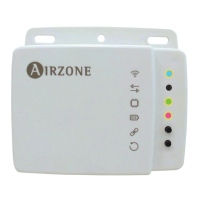
AZAI6WSPDKC
DKN Cloud Wi-Fi Adaptor

Table of Contents

Question and Answer IconNeed help?

Do you have a question about the Airzone AZAI6WSPDKC and is the answer not in the manual?

Summary

Unit Control

Setting the Unit On;Off

Tap on the On and Off buttons individually or by groups from the Home screen or tap the unit to access the control screen for turning on and off the zone.

Setting the Set-Point Temperature

Adjust the set-point temperature by sliding your finger around the ring on the screen or by tapping the + and - buttons.

Setting the Operating Mode

The available modes, depending on the installation type, are: Auto, Cooling, Heating, Fan, Dry.

Setting the Fan-Speed

Tap the fan icon to select from the available speeds.

Setting the Louver

Tap the louver icon to select from the available positions.

Schedules

Activating;Deactivating a Schedule

Select a unit to see all the schedules associated to it. Select a schedule and activate/deactivate it by tapping the switch within the schedule.

Creating a New Schedule

Follow steps to set the schedule: create name, set time, parameters, days, and assign to units.

Editing a Schedule

Tap the schedule to be edited, change parameters, and assign to units. Tap confirmation to save or go back.

Units Management

Adding a Unit

From Home screen, tap Menu > Configure Unit. Tap Search units and follow steps to add a new Daikin unit.

Configuring the Communication Protocol

Configuring the Fallback Algorithm

User Management

Installation - DKN Cloud Wi-Fi Adaptor for VRV;SkyAir (AZAI6 WSCDKA)

Connection (AZAI6 WSCDKA)

Provides steps to connect the DKN Cloud Wi-Fi Adaptor for VRV/SkyAir units, including wiring, power, and LED checks.

Installation - DKN Residential Cloud Wi-Fi Adaptor for Ductless (AZAI6 WSCDKB)

Connection (AZAI6 WSCDKB)

Provides steps to connect the DKN Residential Cloud Wi-Fi Adaptor for Ductless units, including wiring and power checks.

Installation - DKN Plus Adaptor for VRV;SkyAir;Ductless (AZAI6 WSPDKC)

P1 P2 Connection (AZAI6 WSPDKC)

Steps to connect DKN Plus Adaptor for VRV/SkyAir units using A+B cable, X35A/X18A/X9A and P1 P2 terminals.

S21 Connection (AZAI6 WSPDKC)

Steps to connect DKN Plus Adaptor for Ductless units using A+C cable to S21 connector.

Summary

Unit Control

Setting the Unit On;Off

Tap on the On and Off buttons individually or by groups from the Home screen or tap the unit to access the control screen for turning on and off the zone.

Setting the Set-Point Temperature

Adjust the set-point temperature by sliding your finger around the ring on the screen or by tapping the + and - buttons.

Setting the Operating Mode

The available modes, depending on the installation type, are: Auto, Cooling, Heating, Fan, Dry.

Setting the Fan-Speed

Tap the fan icon to select from the available speeds.

Setting the Louver

Tap the louver icon to select from the available positions.

Schedules

Activating;Deactivating a Schedule

Select a unit to see all the schedules associated to it. Select a schedule and activate/deactivate it by tapping the switch within the schedule.

Creating a New Schedule

Follow steps to set the schedule: create name, set time, parameters, days, and assign to units.

Editing a Schedule

Tap the schedule to be edited, change parameters, and assign to units. Tap confirmation to save or go back.

Units Management

Adding a Unit

From Home screen, tap Menu > Configure Unit. Tap Search units and follow steps to add a new Daikin unit.

Configuring the Communication Protocol

Configuring the Fallback Algorithm

User Management

Installation - DKN Cloud Wi-Fi Adaptor for VRV;SkyAir (AZAI6 WSCDKA)

Connection (AZAI6 WSCDKA)

Provides steps to connect the DKN Cloud Wi-Fi Adaptor for VRV/SkyAir units, including wiring, power, and LED checks.

Installation - DKN Residential Cloud Wi-Fi Adaptor for Ductless (AZAI6 WSCDKB)

Connection (AZAI6 WSCDKB)

Provides steps to connect the DKN Residential Cloud Wi-Fi Adaptor for Ductless units, including wiring and power checks.

Installation - DKN Plus Adaptor for VRV;SkyAir;Ductless (AZAI6 WSPDKC)

P1 P2 Connection (AZAI6 WSPDKC)

Steps to connect DKN Plus Adaptor for VRV/SkyAir units using A+B cable, X35A/X18A/X9A and P1 P2 terminals.

S21 Connection (AZAI6 WSPDKC)

Steps to connect DKN Plus Adaptor for Ductless units using A+C cable to S21 connector.

Airzone AZAI6WSPDKC Specifications

General IconGeneral
Connectivity TechnologyWi-Fi
Frequency50/60Hz
Protection ClassIP20
Control MethodApp
Input Voltage100-240V
Operating Temperature0°C to 50°C
Storage Temperature-20°C to 60°C
Humidity5% to 95% RH

Related product manuals