3
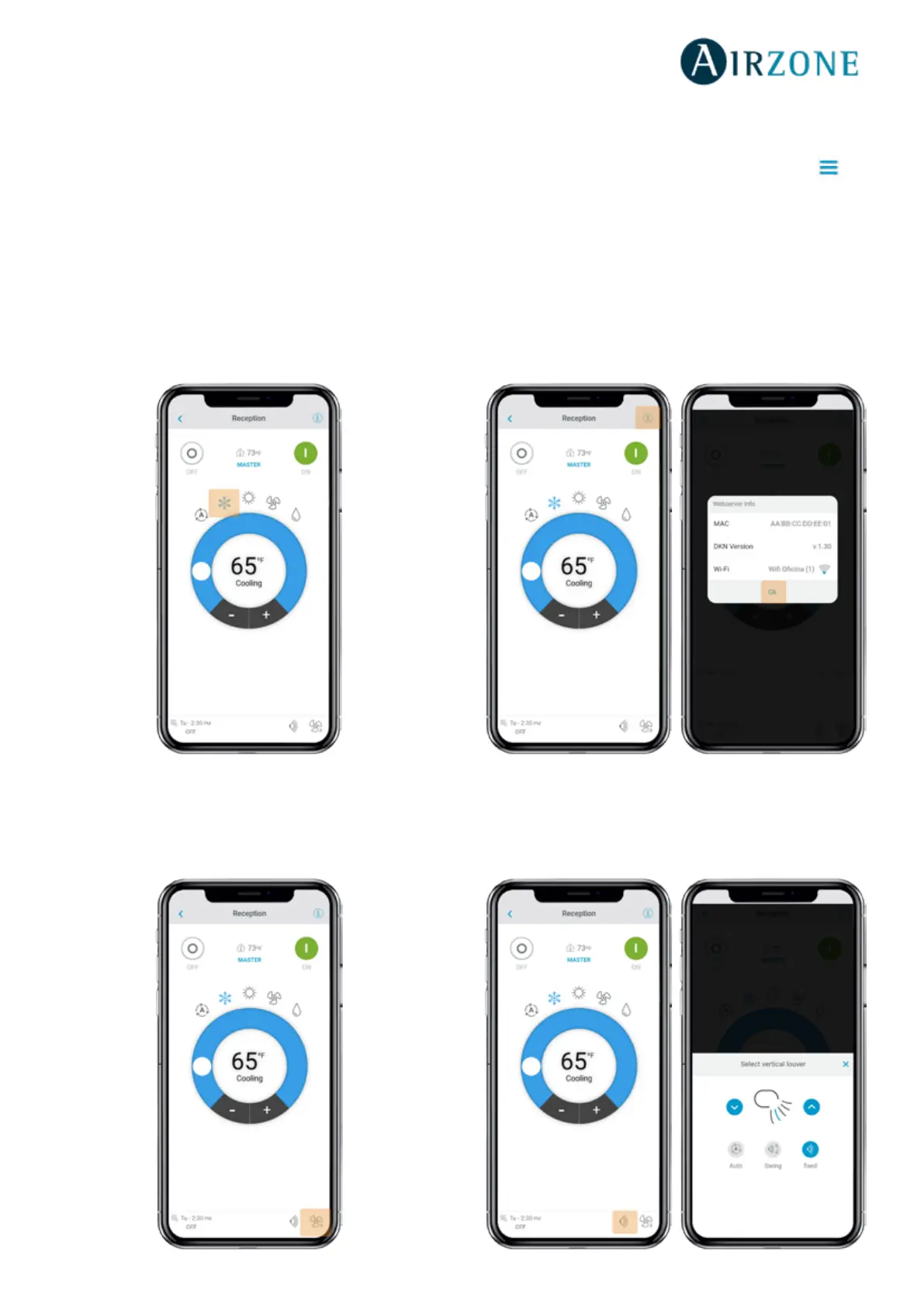
Setting the operating mode
The available modes, depending on the installation type,
are:
Auto. Allows automatic switching between cooling and
heating.
Cooling. The air conditioning unit will start a cooling
cycle.
Heating. The air conditioning unit will start a heating
cycle.
Fan. The system works exclusively in fan mode.
Dry. The air conditioning unit will start a
dehumidication cooling cycle decreasing the humidity.
Setting the fan-speed
Tap the fan icon to select from the available speeds.
Getting information from unit
Open the drop-down menu, tap on Home icon and
select the Daikin unit to control.
Tap on unit information which shows the device MAC
address, rmware version running and Wi-Fi signal and
Modbus address.
Tap the ‘’Ok’’ button to return to the previous screen.
Setting the louver
Tap the louver icon to select from the available positions.



 To Next Page