2
UNIT CONTROL
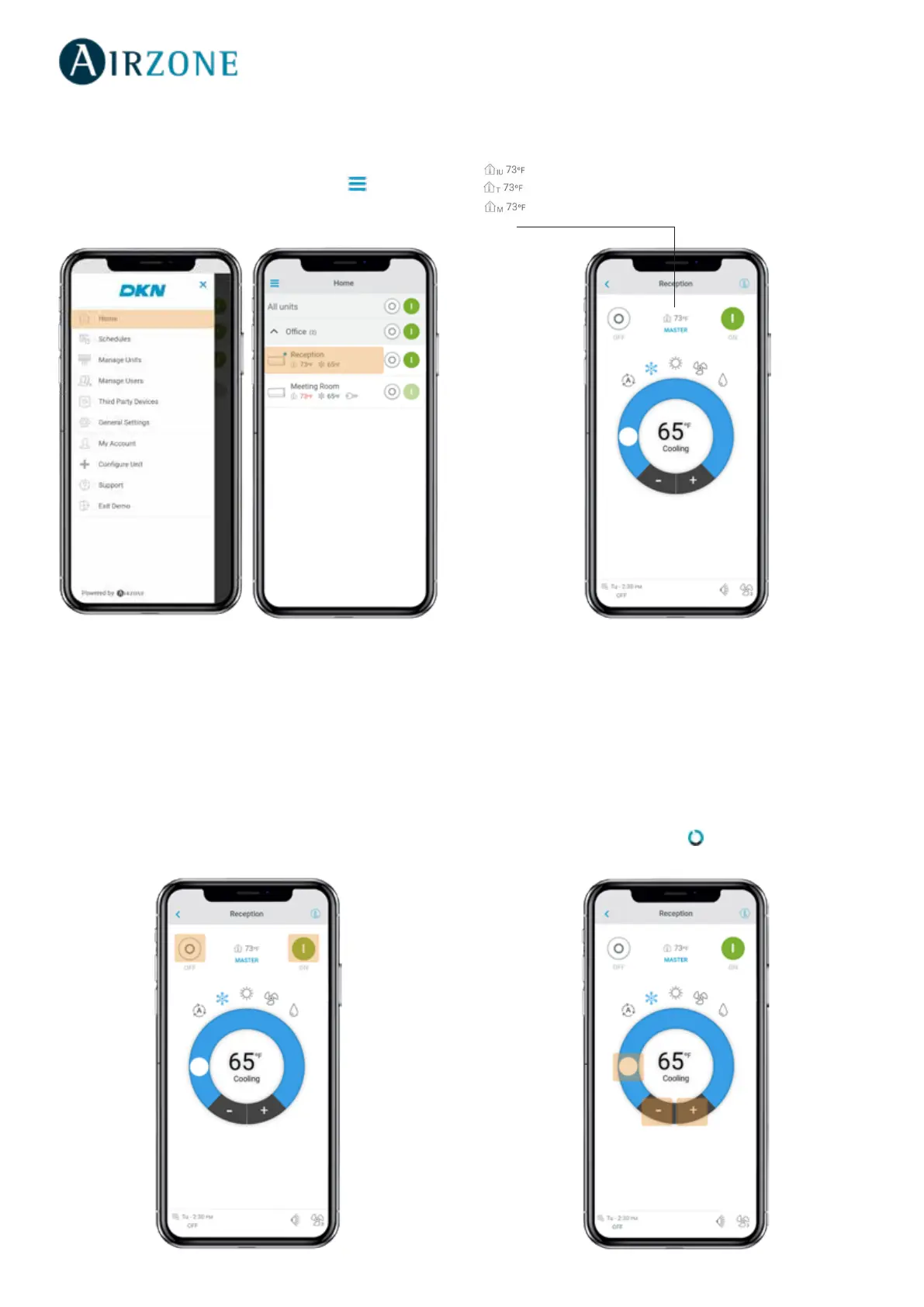
From the Home screen tap on the Menu icon and select
the Daikin unit to control.
Setting the unit on/o
Tap on the On and O buttons individually or by groups
from the Home screen or tap the unit to access the control
screen for turning on and o the zone.
Setting the set-point temperature
Adjust the set-point temperature by sliding your nger
around the ring on the screen or by tapping the + and
- buttons.
Depending on the installation, the reference temperature will be
measured from:
The Indoor Unit
The Thermostat
Both



 To Next Page