8
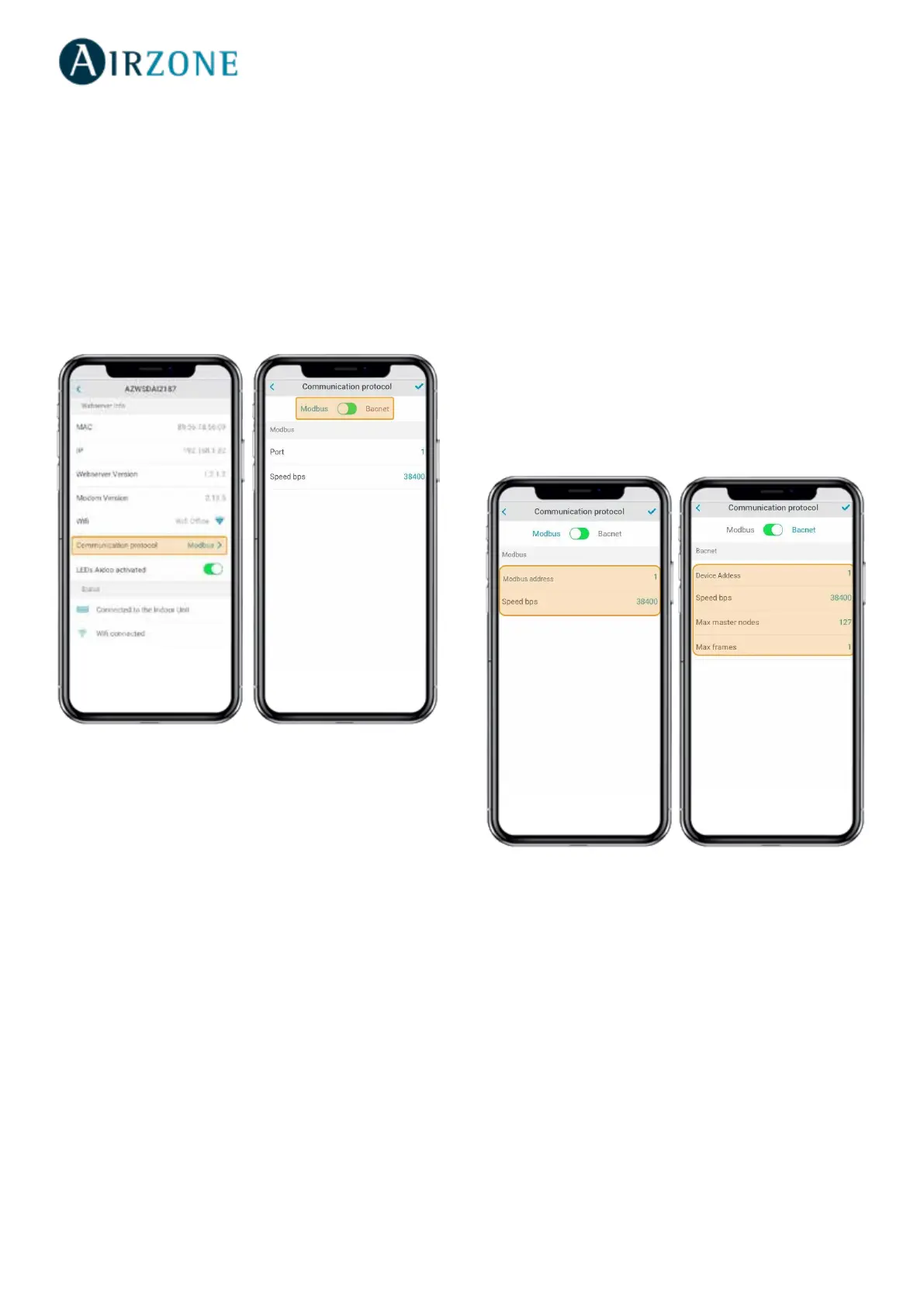
Conguring the Communication Protocol
The communication protocol settings menu is only
available on DKN Plus devices and can only be congured
in the initial association process.
1) Press Communication Protocol to access the settings
menu.
2) Select Modbus or BACnet as the communication
protocol the device will use.
3) You can adjust the following settings parameters for
each communication protocol.
Modbus
- Modbus address: Congurable value between 1 and 256.
- Speed bps: Value selectable from among the available
options.
BACnet
- Device Addess: Congurable value between 0 and 127.
- Speed bps: Value selectable from among the available
options.
- Max master nodes: Congurable value between 1 and
127.
- Max frames: Congurable value between 1 and 127.



 To Next Page