51
5. BLUEFACE
5.1 INTRODUCTION
Because of its touch screen with colour graphics, the BlueFace interface is simple and
intuitive. It provides energy efficiency functionality and advice as to efficient operating
practices, as well as permitting the user to limit the temperature in the zone.
5.2 ICONS
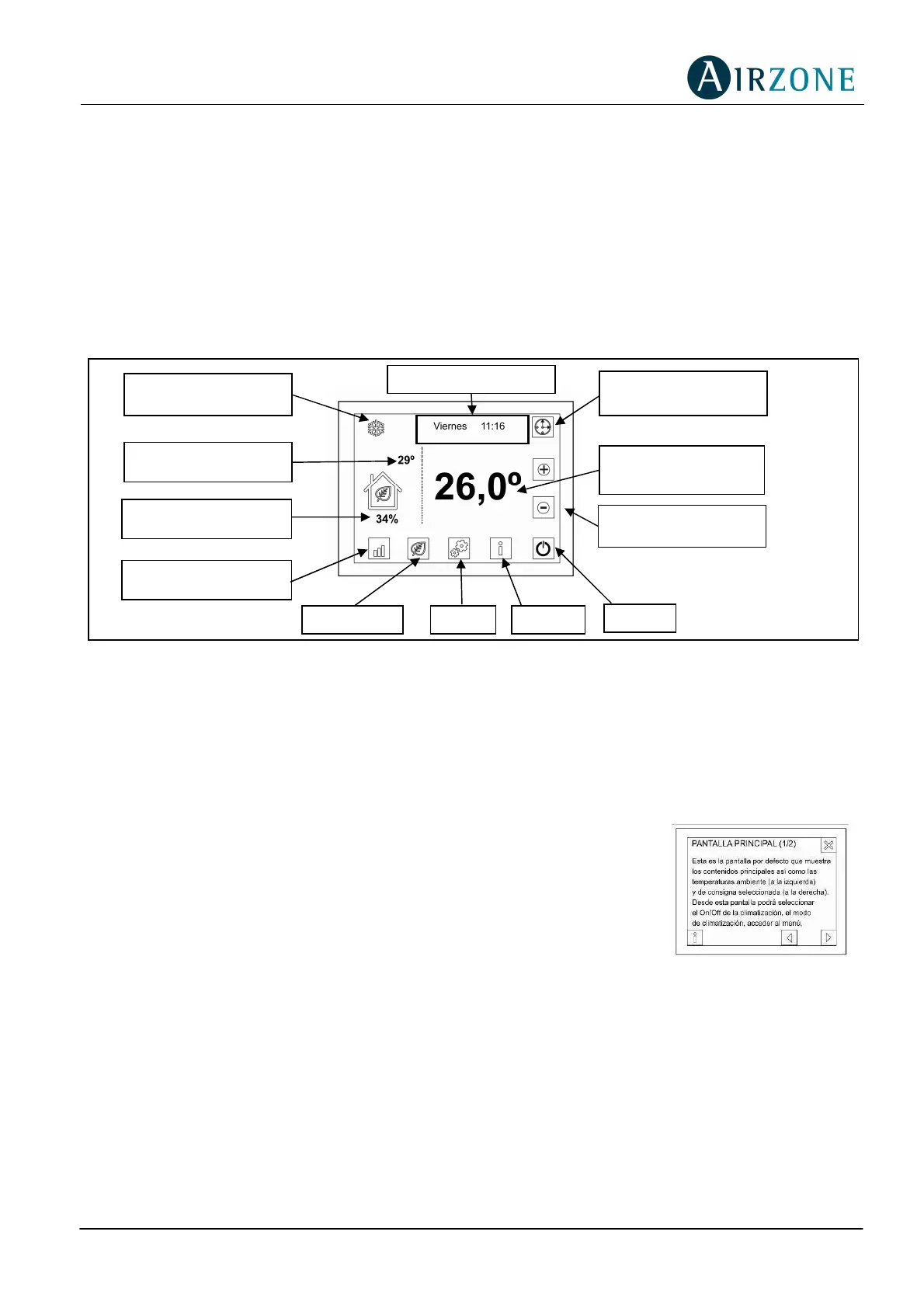
Fig. 8 - BlueFace Thermostat Icons
In addition to the icons shown in the main screen, this thermostat has a menu for the user
and installer from which the other functionalities and configurations can be accessed. These
functionalities include simplified scheduling and configuring the parameters for the ECO
mode.
5.3 HELP SCREEN
As can be seen in the main screen, the help icon is available in all
the BlueFace screens. This accesses text mode help in
understanding what is shown in the screen and some additional
considerations.
The user can consult this help at any time, then return to the
previous screen to continue using the BlueFace interface.
5.4 MAIN SCREEN
The main screen (see Fig. 8 BlueFace Thermostat Icons) displays the principal information.
This screen also provides access to all the operational options.
• Air Conditioning/Climate Control Mode = Displays the Air Conditioning/Climate Control
mode selected. It also provides direct access to the mode selection menu (see section
5.6. Menu).
Date and time
Menu
Ambient
Temperature
Climate Control
mode
Setpoint
temperature
Help
On/Off
Consumption
Eco mode
Temperature
Setting Icons
Efficiency Level
Scheduling
Icon
Fig. 9 - Help Screen



 To Next Page