HDP3 Mini-Converter v1.0 www.aja.com
17
Audio Screen
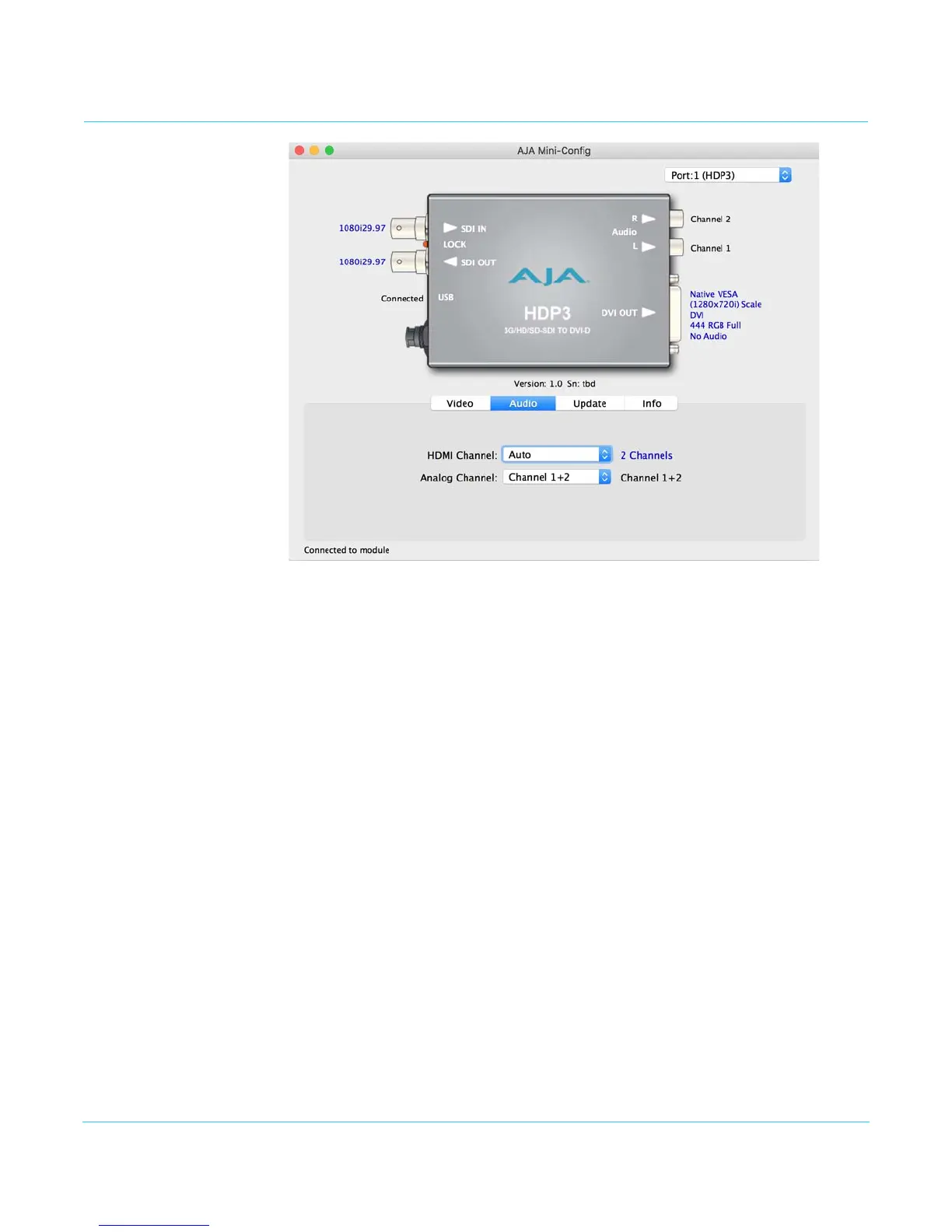
The selections on this screen configure the output audio.
HDMI Channel Choose Auto, 2 Channel or 8 Channel embedded audio. Choosing “Auto” lets the HDP3
automatically select the audio channels based on the attached device's capabilities.
NOTE: When in 2-channel mode, the audio pair selected will be the same as described by the
“Analog Audio” selection, below.
Analog Channel Choose which 2 embedded audio channels are routed to the RCA output pair:
Channel 1+2, Channel 3+4, Channel 5+6, or Channel 7+8.


 To Next Page