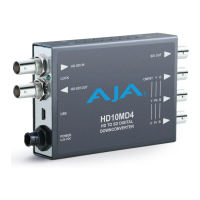
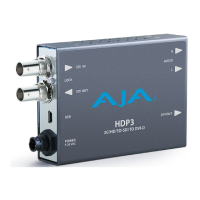
HDP3 Mini-Converter v1.0 www.aja.com
6
• Automatically adapts to popular LED/LCD/DLP/Plasma monitors (and projectors) up to
1920x1200 and 1080p
• Responds to EDID from monitor or projector
• Video to VESA frame rate conversion
• Motion Adaptive De-interlacing
• High quality scaling engine for proper display of 4:3 or 16:9 content—even better
quality than original HDP
• 1 to 1 scaling for appropriate monitor configurations
• 2 channel audio monitoring using RCA analog audio outputs (user-assignable channel
pairs)
• 3G/HD/SD-SDI looping output
• Setup via DIP switch or PC/Mac using USB port and supplied USB cable (Mini-Config
configuration software application available via download from AJA website)
• 5 year warranty
About Monitor Compatibility
The HDP3 is designed to work with most DVI-D monitors. HDMI monitors are also
supported with a standard, inexpensive DVI-to-HDMI cable or adapter (user supplied).
The HDP3 uses the industry standard EDID communication protocol (within the DVI or
HDMI link) to communicate with the monitor, and then adjust the HDP3’s internal scaling
engine to scale the input video to the native resolution of the monitor. However, due to
the hundreds of variations of DVI formats currently in use, proper operation with all
monitors cannot be guaranteed.
To ensure the greatest compatibility with today's available digital display devices, the
HDP3 will, by default, provide VESA or CEA standard timing.
Frame Locking
Auto: Use this mode to ensure greatest compatibility with other monitors. The HDP3 will use
standardized output timing for most monitors. If the attached monitor (such as an HP
DreamColor) is recognized as having enhanced capabilities, then special, frame-locked
timing will be used.
Manual: Selecting an output frame rate that matches the input frame rate will provide a vertically
locked signal to the monitor, and may yield the best results. Note that not all monitors
will be able to accept these signals.
Recommended Monitors
The monitors listed below have been verified to work with one or more of the manual
frame rate selections.
• HP 24" LP2480zx DreamColor
• Apple 23" HD Cinema, model M9178LL/A (aluminum bezel)
•Sony 23", model SDM-P234
• Viewsonic VP231wb
• Dell 2405FPW
•Barco LC-42


 To Next Page