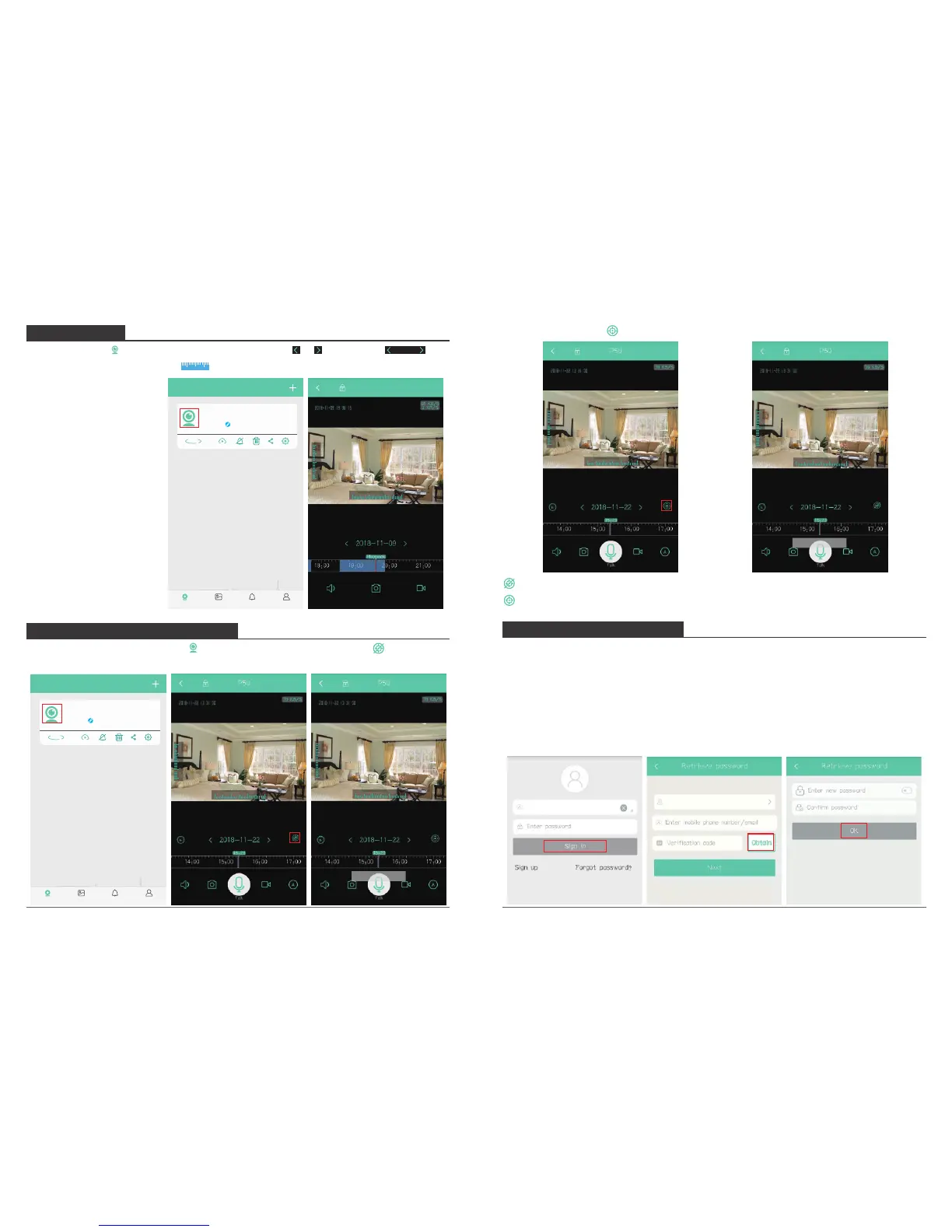
9. PLAYBACK
Click camera icon to enter into live view interface, click or on date icon to
select date and drag the timebar to select the time period you want to play back the
video.
2018-12-28
18:00 19:00
Note: The blue is recorded
video. When playing the
video, you also can reduce
or enlarge the image by
sliding two fingers on the
playback video.
10. AUTO MOTION TRACKING
Enable Tracking: Click camera icon to enter into live view interface, click to enable
tracking.
15 16
My camera
P50
Online
360°
Album AlertMy camera Setting
11. RETRIEVE PASSWORD
If you forgot your password of AKASO iEyes account, please enter the retrieve password
page to get back, see following:
① Open “AKASO iEyes” Phone APP, click “Forgot password”;
② Choose your registered country and your account, then click “Obtain” to get a
verification code in your registered email box.
③ Enter the correct verification code and new password to complete the operation, click
“OK”.
60
40
20
220
240
260 280
P50
My camera
P50
Online
360°
Album AlertMy camera Setting
Disable Tracking: Click to disable tracking.
United States



 To Next Page