4. FORMATTING MICRO SD CARD
The Memory Card is needed to format firstly on computer and then format on the camera
to make sure it can be more compatible with the camera.
This wifi cam support micro SD card, up to 128GB with class 10 & above.
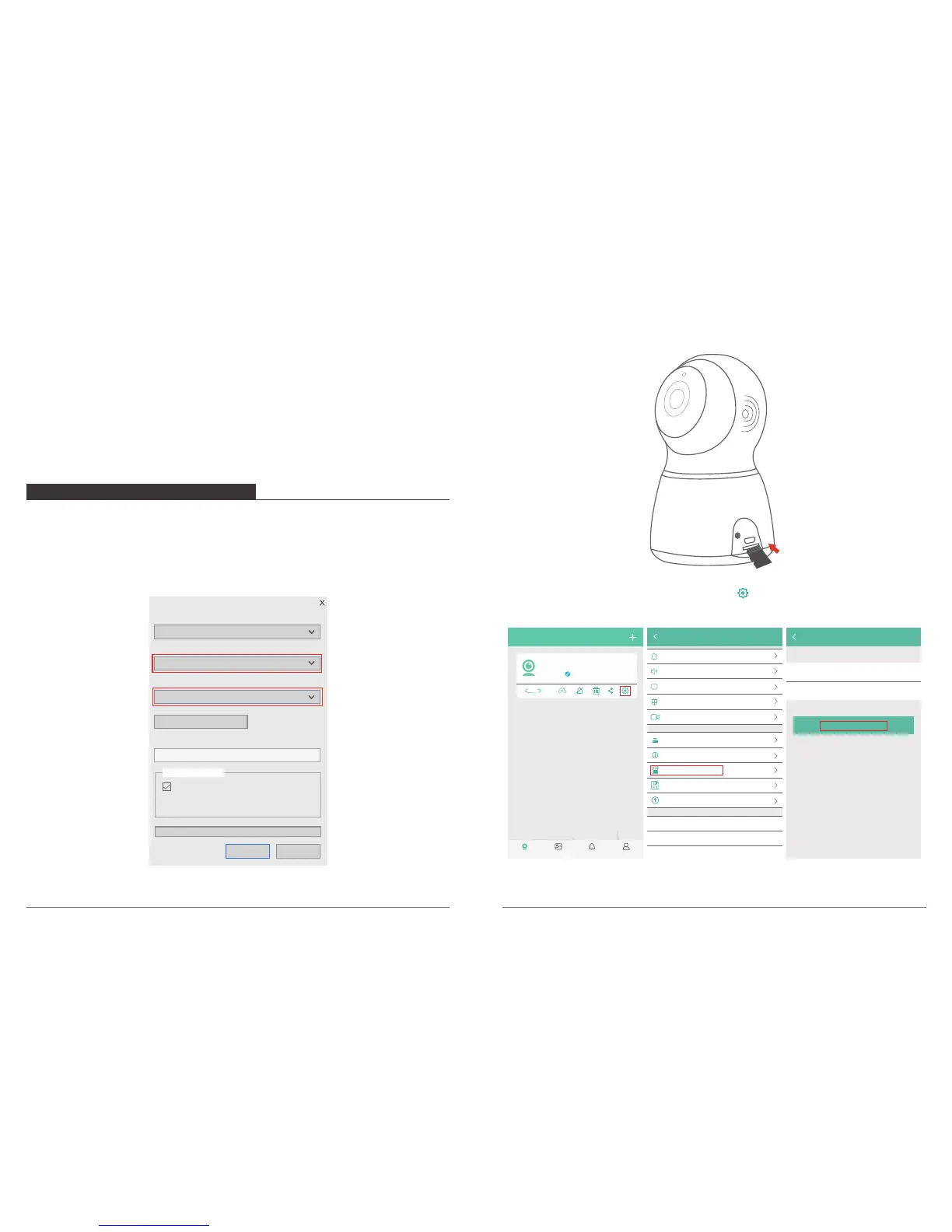
① Please format the card on computer firstly as “FAT32”, see below picture.
Format NEW VOLUME (F:)
Capacity:
File system
14.8 GB
FAT 32 (Default)
Allocation unit size
32 kilobytes
Volume label
MicroSD
Restore device defaults
Format options
Quick Format
CloseStart
② After inserting the card into the camera, and then powering on the camera.
③ Open the Phone APP to select the setting icon to enter into Camera Setting,
click “Memory Card Information → Format Memory Card → OK” to format the card.
My camera
P50
Online
360°
Album AlertMy camera Setting
Camera Setting
Alert Mode
Motion Detected
Volume
A
Language & Timezone
Encryption mode Default Encryption
Timer Recording
Change Router
Camera Information
Video Storage Location
Firmware Upgrade
Reboot Camera
Refresh Setting Information
Delete device
Micro SD card
Latest Version
Memory Card Information
Memory card informati..
Format Memory card
Data partitionVideo
Status
Total capacity
Normal
14820M
Note: Before format the card, please make sure you already add the camera to your
phone app.
05 06
Note:
① Username must be a valid email address.
② Password must be between 6-20 digits in length.
③ Please choose the same country in register and login.
If you have forgotten your password, click "Forgot password" to retrieve your
password via email verification.



 To Next Page