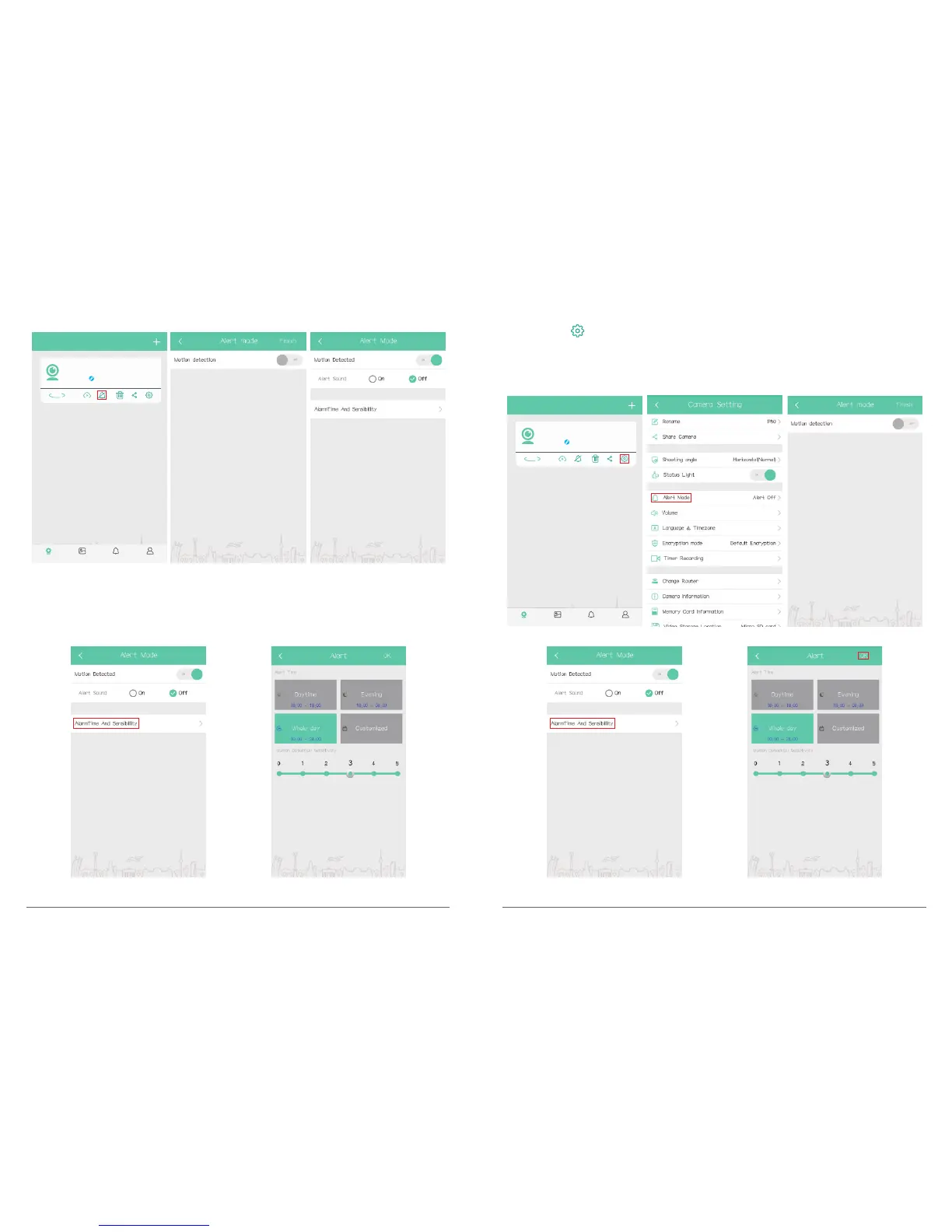
Way 2. Click “ ”on My Camera Interface to enter camera setting, click ”Alert mode”, turn
on“Motion detection” to enable it and select “ON” on alert sound switch, then click
“AlarmTime And Sensibility” to set Alert Time and Motion Detection Sensitivity, click “OK”
to save settings.
My camera
P50
Online
360°
Album AlertMy camera Setting
Then click “AlarmTime And Sensibility” to set Alert Time and Motion Detection Sensitivity,
click “OK” to save settings.
My camera
P50
Online
360°
Album AlertMy camera Setting
11 12



 To Next Page