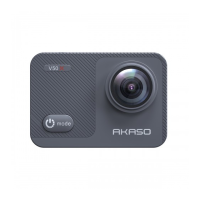
Customizing Your V50 X
Photo Settings
1. Resolution
20MP/12M/8M/5M/3M (Default setting is 20MP.)
This camera is capable of capturing 20MP photos, with higher resolution offering greater clarity
and detail due to the increased number of pixels. However, higher resolution photo also results
in larger file sizes.
2.
Output Format
JPEG/JPEG+DNG. (Default setting is JPEG.)
This setting allows you to choose the image format you want.
3. Self-Timer
1 Sec/3 Sec/5 Sec/10 Sec/30 Sec (Default setting is 3 Sec.)
In Self-timer mode, the camera will start to count down after you press the shutter release. It
will automatically capture a photo after the countdown. You can pause the capture during
the countdown by pressing the shutter button again.
Note: Self-timer works in Self-Time mode only.
4. Time Lapse Photo
3 Sec/5 Sec/10 Sec/30 Sec/1 Min (Default setting is 3 Sec.)
In this mode, when you press the Shutter button, the camera will take a series of photos at
the set interval. This mode is ideal for capturing changeable scenes.
Note: Time Lapse Photo works in Time Lapse Photo mode only.
5. Burst Photo
3shots/5shots/10shots (Default setting is 3shots.)
In this mode, when you press the Shutter button, the camera will continuously capture 3, 5,
or 10 photos. So it's perfect for capturing fast-moving activities.
Note: Burst Photo works in Burst mode only.
6. Long Exposure
1Sec/2Sec/5Sec/8Sec/30Sec/60Sec ( Default setting is 1Sec.)
EN
01 02 03 04 05
06 07 08 09 10 11 12 13
14 15 16 17 18 19 20
21 22 23 24 25 26 27
28 29 30 31 32 33 34 35
36 37 38 39 40


 To Next Page