Offloading Your Content to Computer
To play back video or photo files on a computer, you will need to connect the camera to
your computer's USB port using the included micro USB cable to transfer data. Once you
have successfully transferred your files, you will be able to view them on your computer, or
delete the chosen files using the file exporter.
Downloading Your Content to Smartphone
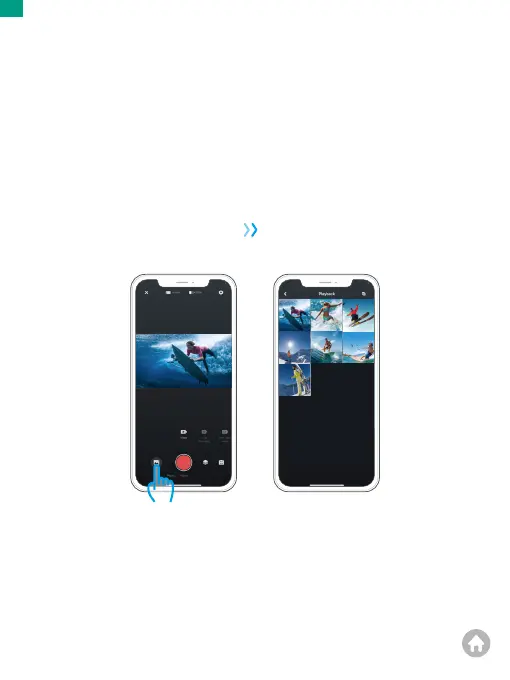
1. Open the AKASO GO App, then connect the camera to the App..
For further details regarding the app connection, please refer to Connecting to
AKASO GO App starting from Page 28.
2.
Tap the Album icon in the bottom left corner to see the videos and photos.
00:15:03 00:13:04
00:16:02
00:08:06
Downloading Your Content
EN
01 02 03 04 05
06 07 08 09 10 11 12 13
14 15 16 17 18 19 20
21 22 23 24 25 26 27
28 29 30 31
32 33 34 35
36 37 38 39 40


 To Next Page