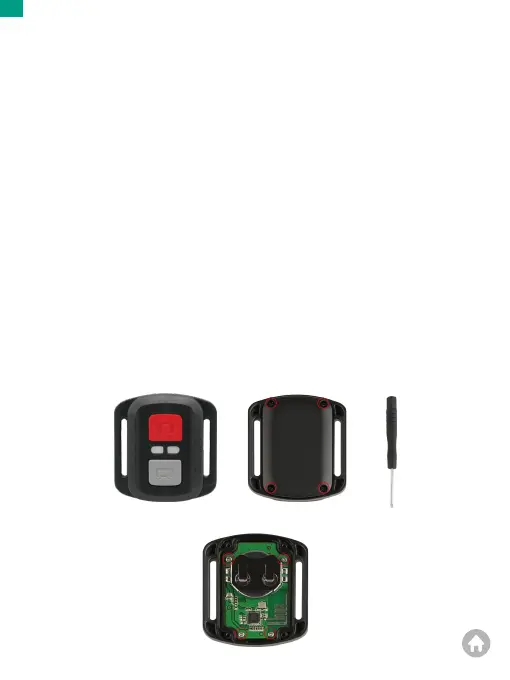
2. Remove another 4 screws on PCB board.
Video
To record a video, make sure the camera is in Video mode.
To start recording:
Press the gray Video button. The camera beeps and the camera status light flashes while
recording.
To stop recording:
Press the gray Video button again. The camera beeps and the camera status light stops
flashing.
Photo
To capture a photo, verify the camera is in Photo mode.
To take a photo:
Press the red Photo button. The camera will emit a camera shutter sound and start taking
photos.
CR2032 Battery Replacement for Remote
1. Remove the 4 screws on the back
cover of the remote with a 1.8mm Phillips
tip screwdriver.
EN
01 02 03 04 05
06 07 08 09 10 11 12 13
14 15 16 17 18 19 20
21 22 23 24 25 26 27
28 29 30 31 32 33
34 35
36 37 38 39 40


 To Next Page