D145H4502 Ed. 01
16
Alarms
IMPORTANT: The alarms that cause compressors and fans to stop will do so in a sequential manner, with
a delay of 5 seconds between stops.
LOW AND HIGH PRESSURE ALARM DUE TO DIGITAL INPUT
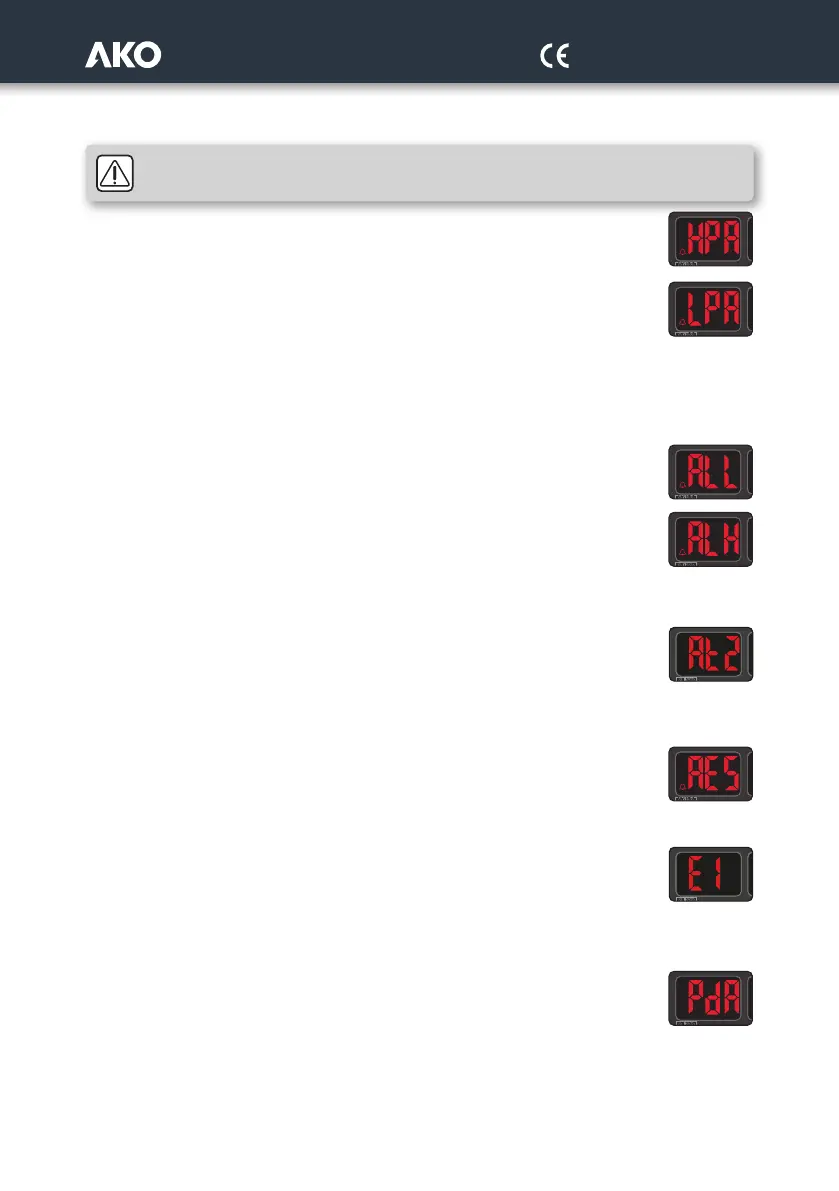
When the digital input I5 or I6 is activated, the message HPA (High) or LPA (Low) is shown on screen,
the alarm relay is activated (if available) and the compressors are stopped.
If the alarm is due to low pressure, the fans stop; if it is due to high pressure, the fans activate
regardless of parameter F07.
If the cause that triggered the alarm disappears, the installation returns to its standard operation.
Parameter A09 defines the number of high-pressure alarms allowed per hour. If this value is
exceeded, the unit must be manually reset by pressing the Q key in order for it to return to its standard operation,
once the cause that triggered the alarm has disappeared.
This requires the parameters I07 or I08 to be set to 0 or 1.
When the readings return to their normal values, the alarm relay deactivates but the R indicator remains on until
the Q key is pressed.
LOW AND HIGH PRESSURE ALARM DUE TO PROBES 1 AND 2
If the reading in probe 1 reaches the value set for parameter A03, the message ALL (Low pressure)
is displayed on screen, the alarm relay (if available) is activated and the compressors and fans stop.
This alarm differential is established in parameter A04.
If the reading in probe 1 reaches the value set for parameter A05, the message ALH (High pressure)
is displayed on screen,the alarm relay (if available) is activated and the compressors and fans stop.
This alarm differential is established in parameter A06.
When the readings return to their normal values, the alarm relay deactivates but the R indicator remains on until
the Q key is pressed.
PROTECTION ALARMS
If one of the thermal protections goes off (digital inputs I1 to I5, according to the configuration), the
message At1 ... is displayed on screen At5, the associated element (compressor or fan) stops and
the alarm relay activates (if available).
Once the protection is reset, the installation returns to its standard operation, but the alarm relay remains activated
until the Q key is pressed.
SEVERE EXTERNAL ALARM
When the digital input configured as a severe external alarm (I07 or I08=4) is activated, the screen
displays the message AES, the compressors and fans stop and the alarm relay activates.
Once the cause that triggered the alarm disappears, the installation returns to its standard operation, but the R
indicator remains activated until the Q key is pressed.
PROBE 1, 2 or 3 ERROR
If an error occurs in probes 1, 2 or 3 (disconnection, cross-over or probe out of range), the screen
displays the messages E1, E2 or E3 respectively, the alarm relay activates and the compressors and
fans go on to operate according to parameters A01 and A02.
Once the cause that triggered the alarm disappears, the installation returns to its standard operation, but the R
indicator remains activated until the Q key is pressed.
PUMP DOWN ALARM STOPPED DUE TO TIME
If, during pump down, the maximum interval configured in E09 passes before the stop value spe-
cified by E08 is reached, the last stage will stop and the message PdA will be displayed. Does not
activate the alarm relay.



 To Next Page