7.- Parameter setup
Through the programming menu users can set different parameters to adjust the operation of the controller to the
needs of their installation.
7.1.- Programming Menu
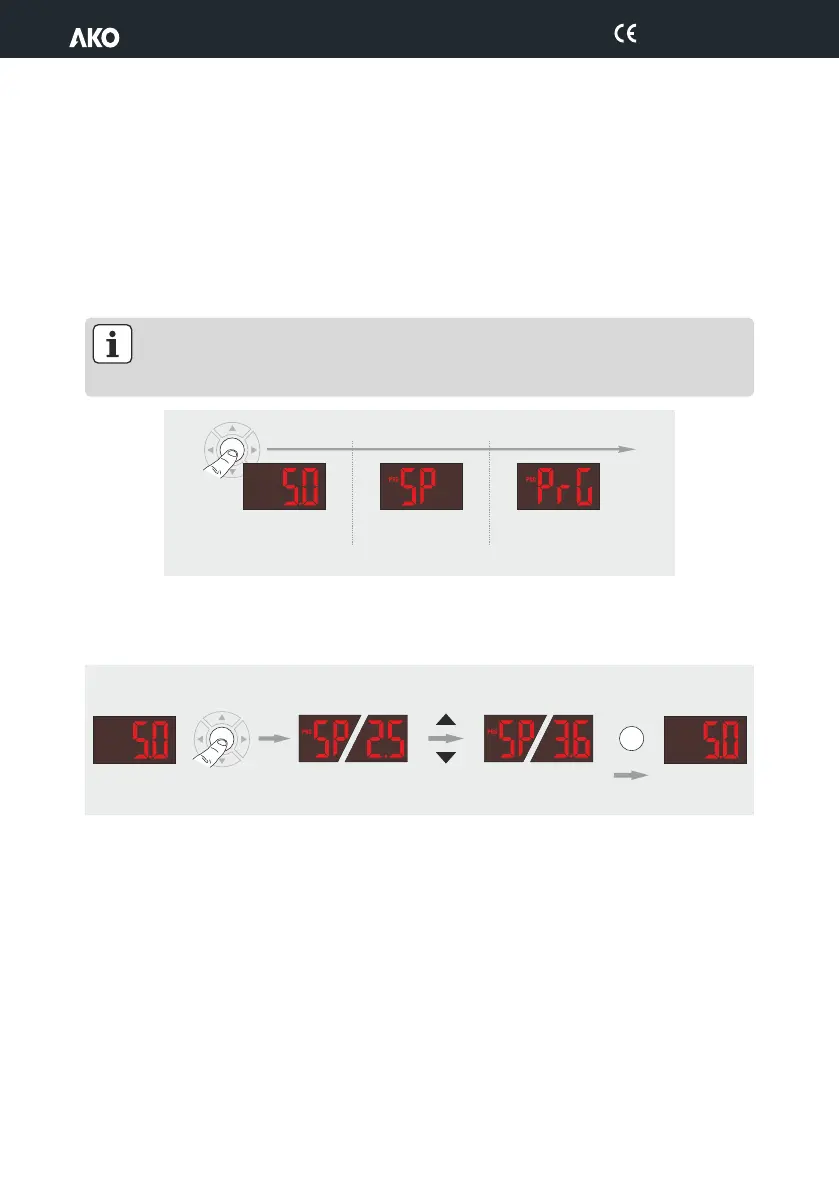
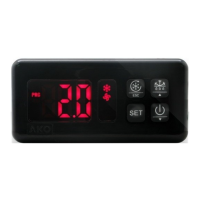
To change the set point, press the SET button for 5 seconds, or until the "SP" is displayed on the screen (not
available in thermometers).
To access the programming menu, press the SET button for 10 seconds, or until the "PrG" appears on the screen.
IMPORTANT: If the access code function has been set as keypad lock (P2=2) or as parameter access
block (P2=1), when trying to access either of the two functions, users will be prompted to enter the
access code programmed in L5. If the code entered is not correct, the unit will revert to displaying the
temperature.
7.1.1.- Changing the set point (not available in thermometers)
Press the SET button for 5 seconds or until "SP" appears on the screen.
SET
SET
Release SET
to access
programming
t
Temperature
Indication
Release SET
to access the
set point
5 seg.
10 seg.
OK
SET
SET
5"
SET
Temperature
Indication
Temperature
Indication
Current
Value
New
Value
Change
value
23
D146H002 Ed.02


 To Next Page