8 How to use your ALAN 456
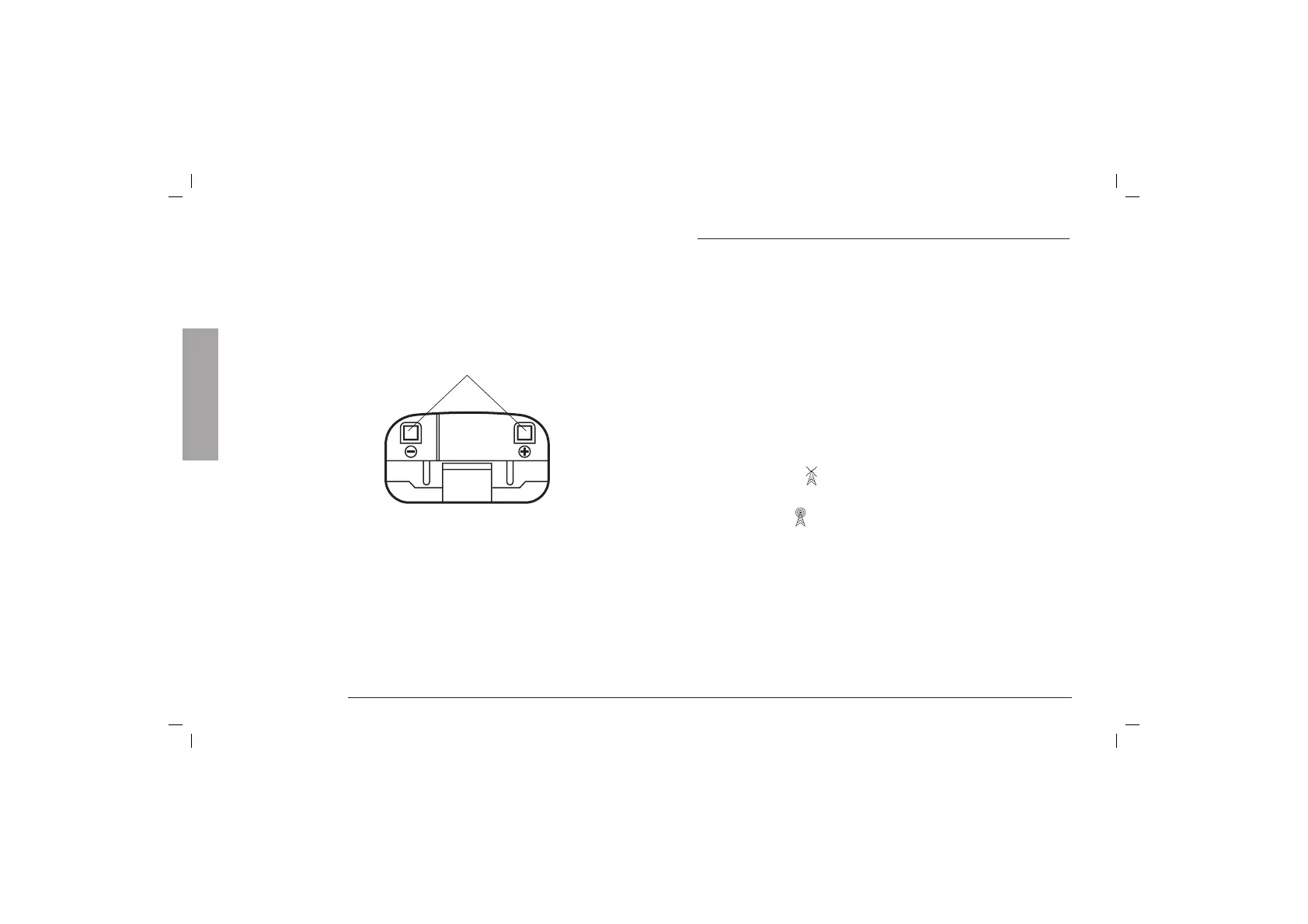
Bottom
18. Load contacts. ALAN 456 is equipped, at the lower
surface, with load contacts which enable a load course
over a desk top charger.
HOW TO USE YOUR ALAN 456
1. Insert 3 AA type alkaline or optional Ni-Cd batteries into
the battery compartment, noting polarity.
2. To turn on the radio, slightly rotate the ON/OFF/Volume
control clockwise until the radio clicks on and adjust the
volume control to the desired listening level. To adjust
the volume, press the ”MON“ button and rotate the knob.
Four successive tones (excludible) are signalling that the
transceiver is turned on. The display makes a “self-test”
for 1 sec., then it switches on the channel 1 and 00
CTCSS. Now the transceiver is ready to receive /transmit
on the last channel used; All permanent settings are
maintained.
3. To transmit (
), keep pressing PTT button and speak
with a normal voice level 4/10 cm far from the unit.
4. To receive (
), simply release PTT button.
18
English



 To Next Page